Hi,
Is there anyone before try to share geodata service in ARGIS PRO like we use button "Share as Geodata Service..." in Arcmap?
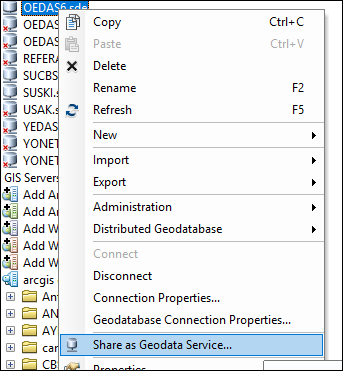
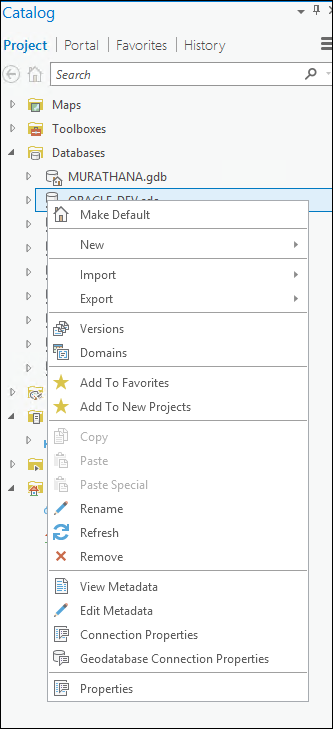
I searched for documents about this. But it always led me to Arcmap.
Is there anyone know how to share geodatabase in Arcgis server by using Arcgis Pro?

With 10.8.1/10.8.2 being the last expected versions of ArcGIS Desktop you'd think they'd add the ability to publish geodata services by now if this capability will be maintained going forward. The main use case is rep/sync'ing when there is a firewall preventing direct access to the database and the only connection option is HTTPS/443.
It appears that Esri has added a way to publish a Geodata Service at ArcPro version 3.0, Replication and geodata services—ArcGIS Pro | Documentation however it seems you can only publish to an enterprise/portal ArcServer which is not our organizations current replication workflow to allow outside agencies the ability to access databases for replication. Has anyone been able to use ArcPro to publish a Geodata Service to a traditional standalone ArcServer? Or know if this functionality will be included in future ArcPro releases?
Currently I am not able to create a replica using existing Desktop published geodata service to a standalone ArcServer although the ArcPro 3.0.3 Create replica From Server geoprocessing tool that looks like it would allow you to do so. I keep getting a generic Error message 000582, 000582: Error occurred during execution.—ArcGIS Pro | Documentation which is no help.
George, I'm just testing Geodata Service workflows and hitting a wall. We have a 11.2 Enterprise portal to which I can publish the geodata service, but I'm not seeing how our other users access it to create a replication process. I'm curious as to where your journey with Geodata Services has gone these past few years. Do you still use them in your workflows or have you abandoned their use all together?
Gary, Yes we still use database replication as our main way to share 911 data between agencies. With some back and forth with Esri and a few version upgrades we were able export our database connection as an offline service definition (see screenshot below) then log into our ArcServer using ArcServer Manager upload the definition file to create the geodata connection. We then treat the geodata service like we did before when you could right click on the database connection you wanted to publish as a geodata connection. I have not spent any more time trying to figure out how use the geodata service through portal because it would force our users to be set up as external agencies in Azure to access portal (which would force us to use the named user convention and although it should be able to be done the logistics policies and outside organizations was to much at this point. Hope this helps you.