Select to view content in your preferred language

Any way to have a single, centred label for multiple polygons?

160
4
Sunday
magenta744
New Contributor

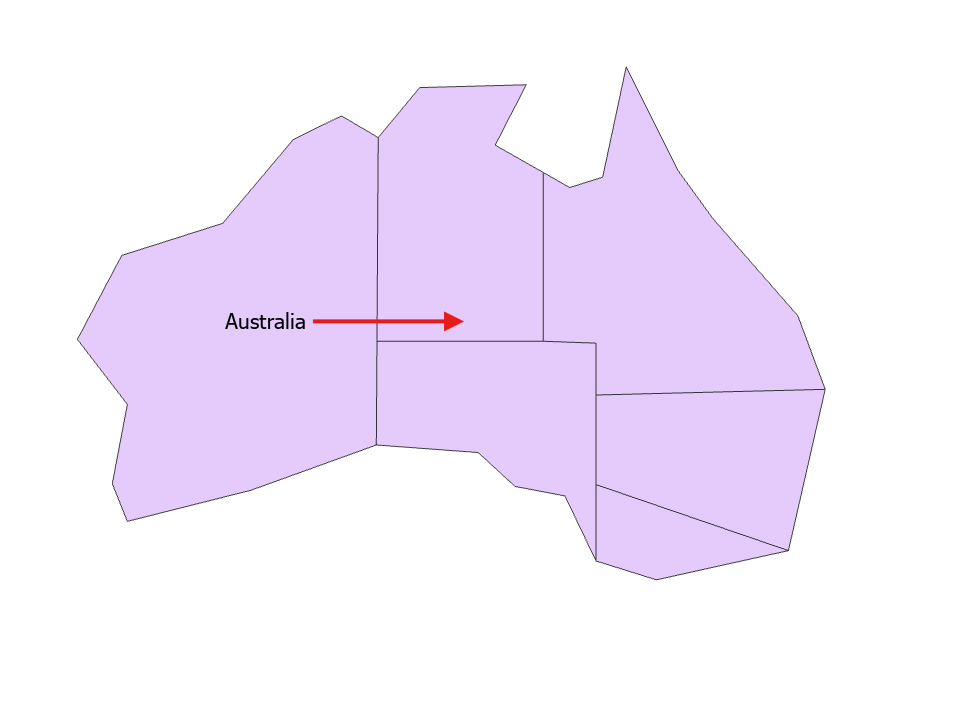
If I have several adjacent polygons with duplicate labels, I'd like to know if, rather than having the largest part labelled, I can have the center of that group of polygons be labelled? When I turn off "label largest feature part", nothing happens, the label just remains on the largest part as it already was.

magenta744_0-1765150046974.png


0 Kudos
4 Replies
LindsayRaabe_FPCWA
MVP Regular Contributor

I think easiest thing to do would be to run a dissolve, then symbolise the output layer with no fill or outline, and set the label to be fixed in the centre. No default settings that I can think of that would let you do this natively. 

Lindsay Raabe
GIS Officer
Forest Products Commission WA
magenta744
New Contributor

Thanks for the information, thought that might be the case.

0 Kudos
BarryNorthey
Frequent Contributor

Labels are dynamically placed by Pro based on a set of rules to find a suitable placement location so they can reposition automatically depending on what you are doing such as adding additional layers that can create conflicts for label placement. You might consider converting the label (Australia) to either annotation or graphics; the latter is probably the easiest in this case and it can be manually re-positioned, re-formatted. etc., by you and will stay where you place it.

BarryNorthey_1-1765160763392.png

You can also just add a graphic layer to a Map and then enter some graphic text (Australia) to the layer.   


0 Kudos
AlfredBaldenweck
MVP Regular Contributor
0 Kudos