Select to view content in your preferred language

Update "Portal" item in Catalog to display "ArcGIS Online" or "Portal" based on current active login

767
2
12-13-2023 05:25 PM
Status: Needs Clarification
Labels (1)
LindsayRaabe_FPCWA
MVP Regular Contributor

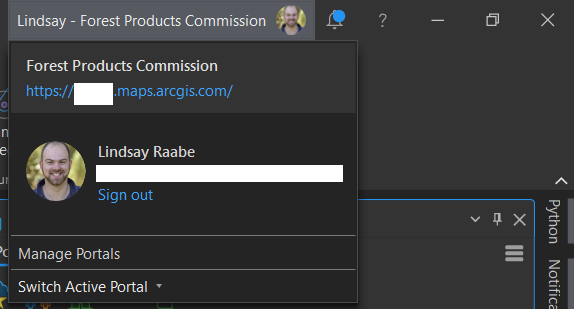
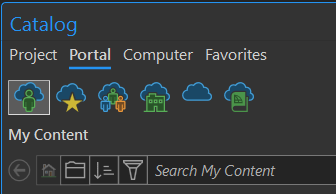
When using ArcGIS Pro, we direct a lot of people to the "Portal" component of Catalog to find data, but this is an inaccurate label as we only have ArcGIS Online. In the past when I've referred to Portal, I've been corrected after clearing up confusion that Portal is only for Enterprise setups. 

IDEA: Change the Portal label to "ArcGIS Online" or "Portal" based on the current Active login.

This will help to clarify exactly which environment you are connected to and reflects the language we should be using when talking about the environment you are connected to. 
LindsayRaabe_FPCWA_0-1702516453494.png

LindsayRaabe_FPCWA_1-1702516719038.png

2 Comments
NaicongLi
Status changed to: Needs Clarification

Hello @LindsayRaabe_FPCWA ,

Thank you for your suggestion. In the context of ArcGIS Pro, "portal" is actually a general term that can refer to both ArcGIS Online and Enterprise portals. This help topic states that "In ArcGIS Pro, a portal is an ArcGIS Online or ArcGIS Enterprise site that allows you to share your work and access content shared by others.".  Furthermore, "active portal" is an important concept in the context of ArcGIS Pro -  the same help topic goes on to clarify, "You can connect to multiple ArcGIS Online and ArcGIS Enterprise portals simultaneously in ArcGIS Pro. When you set one of these portals as active, it becomes the portal that you share to or access content from." The Portal tab in the Catalog windows provides access to the content available from the current active portal in ArcGIS Pro--either ArcGIS Online or an ArcGIS Enterprise site. 

You can easily identify the environment of your active portal: in the Catalog view Contents pane, under Portal, you have nodes for types of places on this portal. One of the nodes is for the content of the entire portal, and it is named either "ArcGIS Online" or "ArcGIS Enterprise", depending on whether the current active portal is ArcGIS Online or an ArcGIS Enterprise portal. Similarly in Catalog pane, Portal tab, if you hover over the fifth node, you will see either "ArcGIS Online" or "ArcGIS Enterprise".

LindsayRaabe_FPCWA

 Hi @NaicongLi . Thanks for the additional information and context. I posted the idea to make the use of ArcGIS Pro for basic/entry level users easier to comprehend. Being able to see the ArcGIS Online/Enterprise names in the Contents pane is handy, and that it changes depending on the active portal is a good sign that what I propose is indeed possible. Essentially, I propose that the same thing happen in place of the term "Portal". Simply replace it with ArcGIS Online/ArcGIS Enterprise, or maybe Online Portal/Enterprise Portal to make it easier when accessing the Catalog Pane (how most of our users access Catalog in Pro).