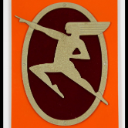
I, in arcmap we have navigation button we can use to navigate easily in layout or map.
Can't find the same in Pro so, add them.
Where exactly is that toolbar in ArcMap? I have never used it before.
You should move this to the ArcGIS Pro Ideas community.
Thanks for the idea @MarcelSt-Germain
I moved it from the ArcGIS Online idea exchange over here to the ArcGIS Pro idea exchange.
As asked by Robert, could you provide more context around the buttons you're showing from ArcMap?
I'm looking at a layout in ArcMap right now and do not see what you're seeing, so providing more context and how you use the buttons will be helpful.
Thanks
These are the Page Up/Down/Left/Right buttons from the Pan/Zoom category of commands in ArcMap's Customize menu. They can be selected to customize a toolbar. I have also found them useful in ArcMap, especially the Page Left and Right buttons, since my keyboard doesn't have standard keys for those commands. I haven't yet found the same buttons available in ArcGIS Pro's Customize the Ribbon menu.
Thanks for the clarification. I changed this idea's title from 'navigation' to 'Add Page Up/Page Down/Page Left/Page Right navigation commands'
Exactly that. Thanks
Hi Marcel, I just wanted to make sure that your main use case here is in the layout, correct? Because the Page Up, Page Down, Home and End keys work to navigate in this way in a map, just not currently in a layout...
https://pro.arcgis.com/en/pro-app/latest/get-started/arcgis-pro-keyboard-shortcuts.htm#ESRI_SECTION1_7E2D50683B214D61895B100D8DB8C7C8
Hi Kory,
Hope to see it for layouts and maps to add them in the quick access toolbar. I'm not fan of keyboard actions. But, what I find in trying in in map, or layout map activated, is a line displacement not a page displacement like the double arrow provide in arcmap.
Very useful to prevent missing part of the page in the annotations cleanup.
By the way, a simple improvement could be add. Just colored the last direction use. Could be useful since a project could be done in many sessions so, a colored arrow could help us the direction we use last.
@AmeliaBradshaw
Hi, yes this will very helpful. If ESRI could be this reactive for the mapseries improvements.
Hey @MarcelSt-Germain , I actually made a mistake here! This is Under Consideration, meaning that the item is in our backlog of development. We are interested in this idea, but since we do not have this assigned for a release, it should be Under Consideration instead of In Product Plan. More information about the Ideas statues can be found in our ArcGIS Ideas Submission Guidelines and Statuses
I apologize for the confusion!
Was to nice to be true. Will take a long time to make Pro as useful as arcmap for mapmaking. Stick with both for a long long time, I think.
I deal with chronic pain and having to use both a keyboard and mouse for navigation is rather difficult. The pan/zoom and page down/up/left/right buttons in ArcMap were great for accessibility, allowing me to do my work exclusively with my mouse/mouse buttons. But unless I buy a mouse with 8+ buttons to customize, I cannot do work with only my mouse in ArcPro. A very big downgrade from ArcMap, at least from an Accessibility perspective. It is disheartening to see this post is over 3 years old and the feature has yet to be added.
There are multiple threads regarding this issue. I will reiterate what I said in a different thread to try to boost the visibility of this idea.
In Arc Map there were the Page Down, Left, Right, and Up commands (they look like fast forward and rewind buttons when added to a toolbar). These differ in an important way from the way that Home, End, Pg Up, and Pg Down function in ArcGIS Pro: they do not pan over entirely. This means that there is some overlap between the views when you pan. This is key since my work involves a very thorough review of satellite imagery.
I am pleased to see this has been moved to the Product Plan. Having these options will make it much easier to work with my disability and will really improve my quality of life even though it is just a simple addition.
Yes, hope they will make them for the map and layout. Also, if they could add a fix map in layout view like I suggested.
This is available in ArcGIS Pro 3.5.
@AubriOtis
Check on screen and try to see that in options without succès. Where it is ?
@MarcelSt-Germain the commands are on the Layout ribbon tab in the Navigate group. They are also available to add to the Quick Access Toolbar and to create your own custom keyboard shortcuts.
Thanks, forgot to look there. But, still lack in map view in navigate or with the quick menu where I put it.
Still lacking the arrow to navigate on tabs like ask. Maybe in a future release.
So I have finally had the opportunity to try out ArcPro version 3.5. I was very, very excited to hear the Page Up/Down/Left/Right buttons were being added to the navigation bar. Upon trying it out however, I am very saddened and frankly super disappointed to see that it only works in Layouts, but not the Map. For my work, I thoroughly review satellite imagery, panning over page by page, digitizing Human Footprint. For this work currently, I need to use the End, Home, Page Up or Page down keys on my keyboard and then also press the arrow keys several times to provide overlap with the previous page to ensure thorough review. In ArcMap, I simply had to press one button -- the Page Up/Down/Left/Right button, only with my mouse. Now I need to press 3-5 every page, and use both arms since I need both my mouse and keyboard for navigation.
I suffer from a condition where I am in constant pain. It may not sound like much, but the increase in inputs/hr in combination with absolutely requiring both my keyboard and mouse for work has made the switch from ArcMap to ArcPro absolutely terrible. I was really, really hoping the update would help my problem. The lack of Page Up/Down/Left/Right buttons to navigate the Map frame in ArcPro is a serious accessibility issue, and it really does negatively impact my quality of life at work. Please, if you can, add it to the map frame.
Still a long way to be at par with arcmap.
ESRI is so close here. They really just need to add the functionality to the Map view.
Thanks all. Sorry we missed connecting those arrow commands to the map view - we're looking at it again now. We really appreciate the persistence and feedback on this forum.
I do have one technical discussion item for the group --> the PgUp / PgDn / Home / End navigation hotkeys were implemented to do page-navigations that exactly "seam" with the previous extent. We did this several releases ago based on multiple user requests that they needed to know that each 'step' was guaranteed to include only new / unprocessed features (compared to the previous extent). The page-step / arrow-button commands exposed in Pro 3.5 for Layout views also uses this design (albeit with some extra protection to ensure edge-of-paper doesn't disappear).
In the notes above, however, EthanJerome is asking for partially-overlapping step distances "to provide overlap with the previous page to ensure thorough review". This is what ArcMap did - some of the features on the edge of the view would still be in view after using the page-step buttons. We changed this on purpose in Pro to more accurately/precisely page-step across the map.
The discussion item: How important is a partially-overlapping page-step distance?
Something to keep in mind --> connecting the existing "full-step" commands to work with map views is a relatively small item for a near-future release... while adding a new option for configuring a partially-overlapping page-step-distance would need to be evaluated against other new dev tasks.
Thanks, Nathan.
The partially overlapping page-step distance is very helpful for work that requires thorough review of imagery. Though the biggest benefit of adding the page up/down/left/right buttons to the map pane would be that I can page through the imagery without using my keyboard, allowing my to work exclusively with my mouse, saving a lot of arm movement throughout the day and thus reducing pain overall.
So a possible solution would be to add the page up/down/left/right buttons to the map view, and then if it is easier, add buttons for arrow up/down/left/right to the map view as well. That way we can then manually create the partial overlap ourselves as we have been doing since transitioning to ArcPro. Currently I use the mouse for digitizing human footprint features, but then need to move my hand over to my keyboard to page over every time -- to simulate the partial-overlap, for example, we'll use the Page Up key and then press the down arrow key 3-4 times to bring the page back down a bit to ensure we haven't missed any new human footprint features along the edge of the pages
However, having an option for configuring partially-overlapping page-step distance would be really nice since then to review the imagery, each page I would only need to click one time which definitely would cut down my overall inputs/hr which I would appreciate.
Another possible solution would be to add a popup on-screen keyboard pane to the program which could help folks who use the program with eye-tracking camera control as an added accessibility bonus.
Thank you for taking the time to ask about this and for your dedication to making ArcPro more accessible to everyone. I really appreciate it!
Regards,
Ethan
Thanks for this excellent and detailed explanation, Ethan.
We'll start by looking at connecting the installed page-step ("arrow") commands to other view types - maps, scenes, reports, presentations. That would get you part of the way there, and we're hopeful we could get that into a very-near-future dev cycle.
For the "partial page-step size" option, I'd recommend you create a new user Idea for that. It would help give us an idea of how useful it would be (and how many users are interested in it).
Thanks!
-Nathan.
Sign in to post, follow content, and more. New here? Register for free.