I have a Survey123 feature layer that was created using the Survey123 wizard.
I need a custom auto-populated unique ID field, so I've added a GUID field using AGOL > Data > Fields. This is the resulting field:
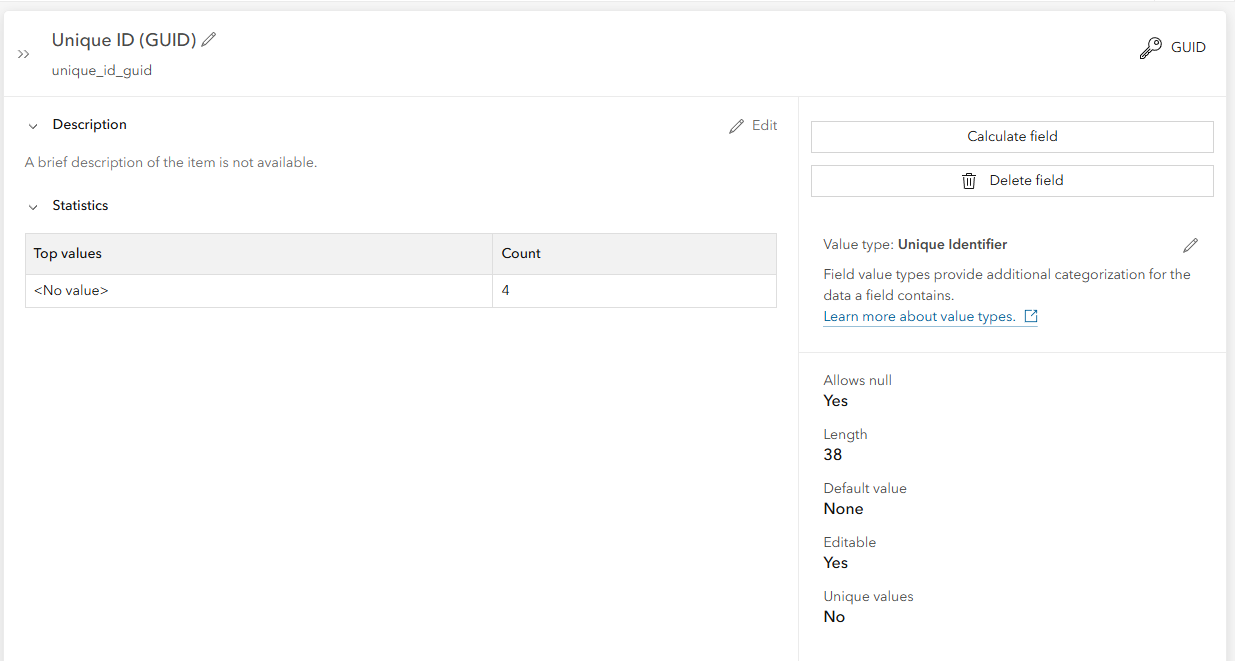
Problem:
When I create new features in an Experience Builder app using the Editor widget, the new GUID field is not being populated. Why isn't it being populated?
Use Case:
Auto-populate unique ID field in hosted feature layer (common ID between copy/pasted features in ExB)
I need a custom unique ID field so the values will be copy/pasted into a new feature in a different feature layer. The ExB editor widget matches fields in the source layer (the Survey123 layer) with fields in the destination layer, where the field names are an exact match. I can't use the OOTB OBJECTID or GlobalID fields from the source layer, because the destination feature will get new values in those fields, not the values from the source feature.