We are excited to announce that ArcGIS Hub now supports map visualization of 3D scene layers, elevation layer, 3D tiles layers directly within the application. This enhancement brings immersive and seamless 3D content exploration for your visitors with no extra navigation or clicks required.

What’s new?
Users can now view the following 3D item types directly in Hub’s explore view when accessed via a Hub catalog or gallery:
- Integrated mesh scene layers
Why this matters
Prior to this release, viewing 3D content through Hub required clicking on multiple buttons and then opening the content item in the Scene Viewer application. Here’s how the workflows compare:
Previous workflow:
- Find a 3D content item (e.g.: Building scene layer) within a Hub catalog or gallery
- Click the item title > opens the item’s about view
- Click “Open content” > opens the item in ArcGIS Online
- Click “Open in Scene Viewer” > to finally view the content.
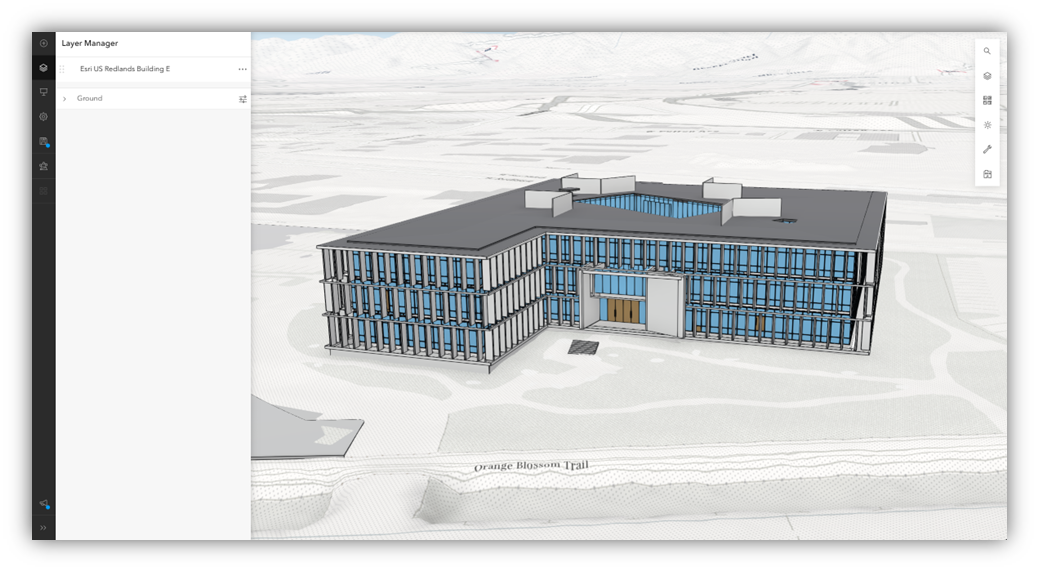
Enhanced workflow:
- Find a 3D content item (e.g.: Building scene layer) within a Hub catalog or gallery
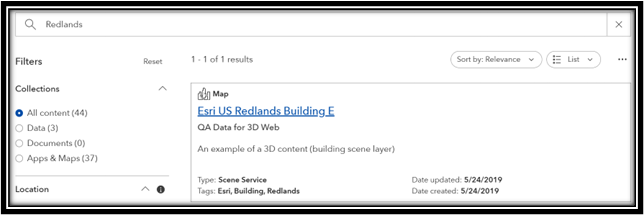
2. Click the item title > opens instantly in the explore view to see the content of the layer.
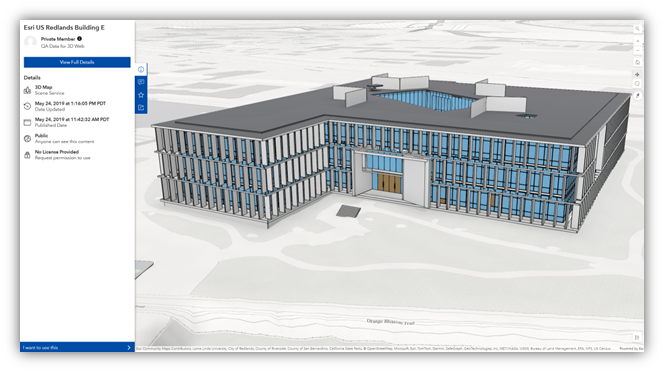
This enhanced workflow and other features the explore view supports, enable efficient browsing and seamless interaction where viewers can:
- Zoom, pan, tilt, and rotate complex 3D structures directly on the map
- View and interact with multi-dimensional elevation data
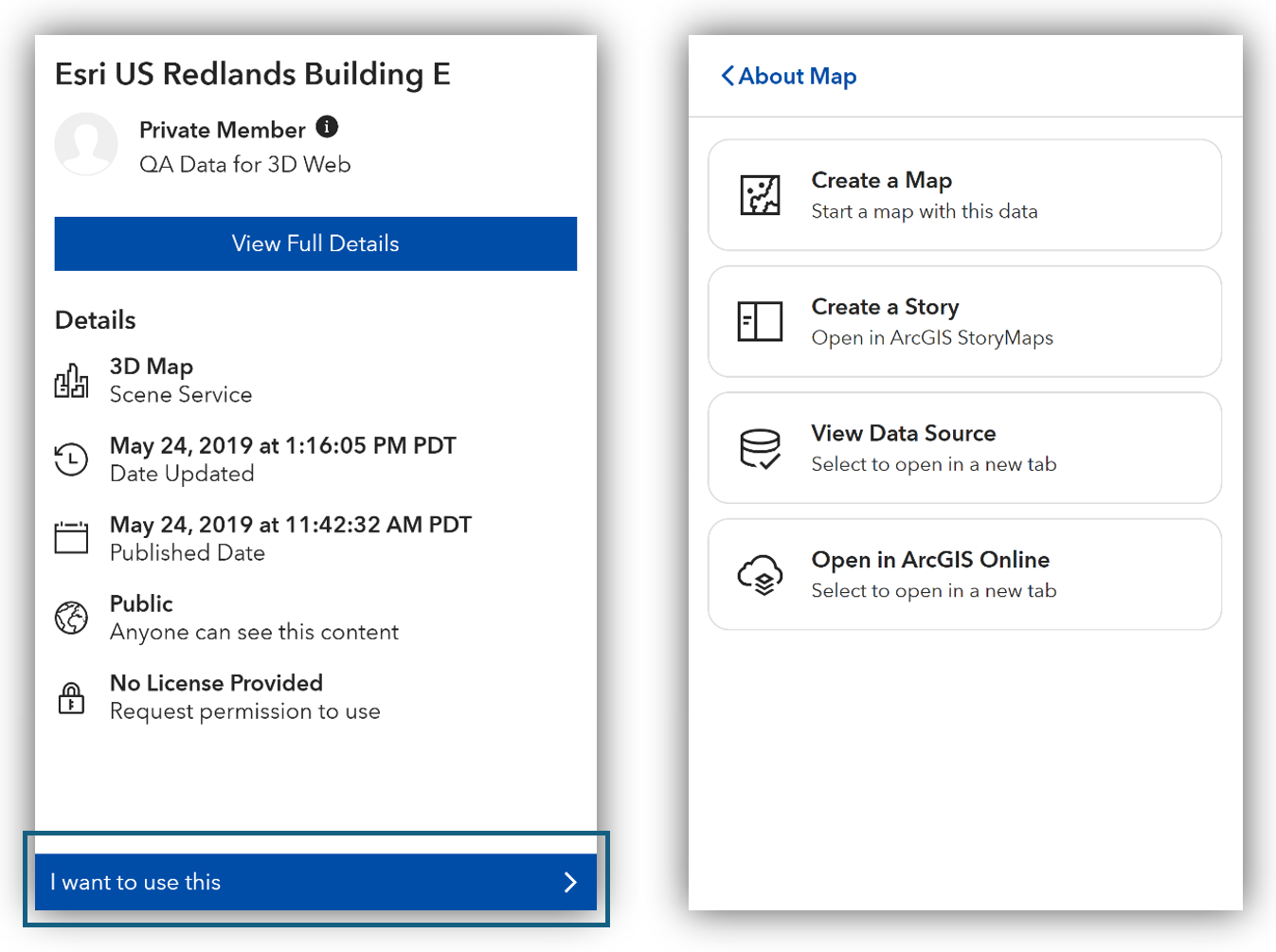
- Use the content to create additional maps or stories via “I want to use this”
- Access data source details via “I want to use this”
- Optionally, launch the 3D content through its source application (Scene Viewer), by opening it in ArcGIS Online via “I want to use this”.
We want your feedback!
Have any thoughts or requests related to 3D content in Hub? Let us know:
- General thoughts? Comment below
- Want to help shape the future of 3D and spatial experiences in Hub? Join the ArcGIS Hub User Lab.
Start exploring 3D content within Hub today. This feature is now live for ArcGIS Hub Basic and Premium licenses.
Go further with ArcGIS Hub
- Find out what’s new and learn best practices on the ArcGIS Blog
- View presentations, demos, and how-to videos on our ArcGIS Hub playlists
- Find inspiration in the Hub gallery