The November 2025 release of ArcGIS GeoBIM on ArcGIS Enterprise 12.0 streamlines GIS and BIM integration with simplified 3D models, expands flexibility for building custom web apps, and adds support for more file formats.
For more details about this release, be sure to read the What’s New in ArcGIS GeoBIM November 2025 blog article.
Add Document Models tool (beta)
This tool creates simplified 3D models from Autodesk Revit and IFC files for use in web scenes with ArcGIS Enterprise. It reduces file size by up to 95%, automates georeferencing, and links models to source documents in Autodesk Construction Cloud.
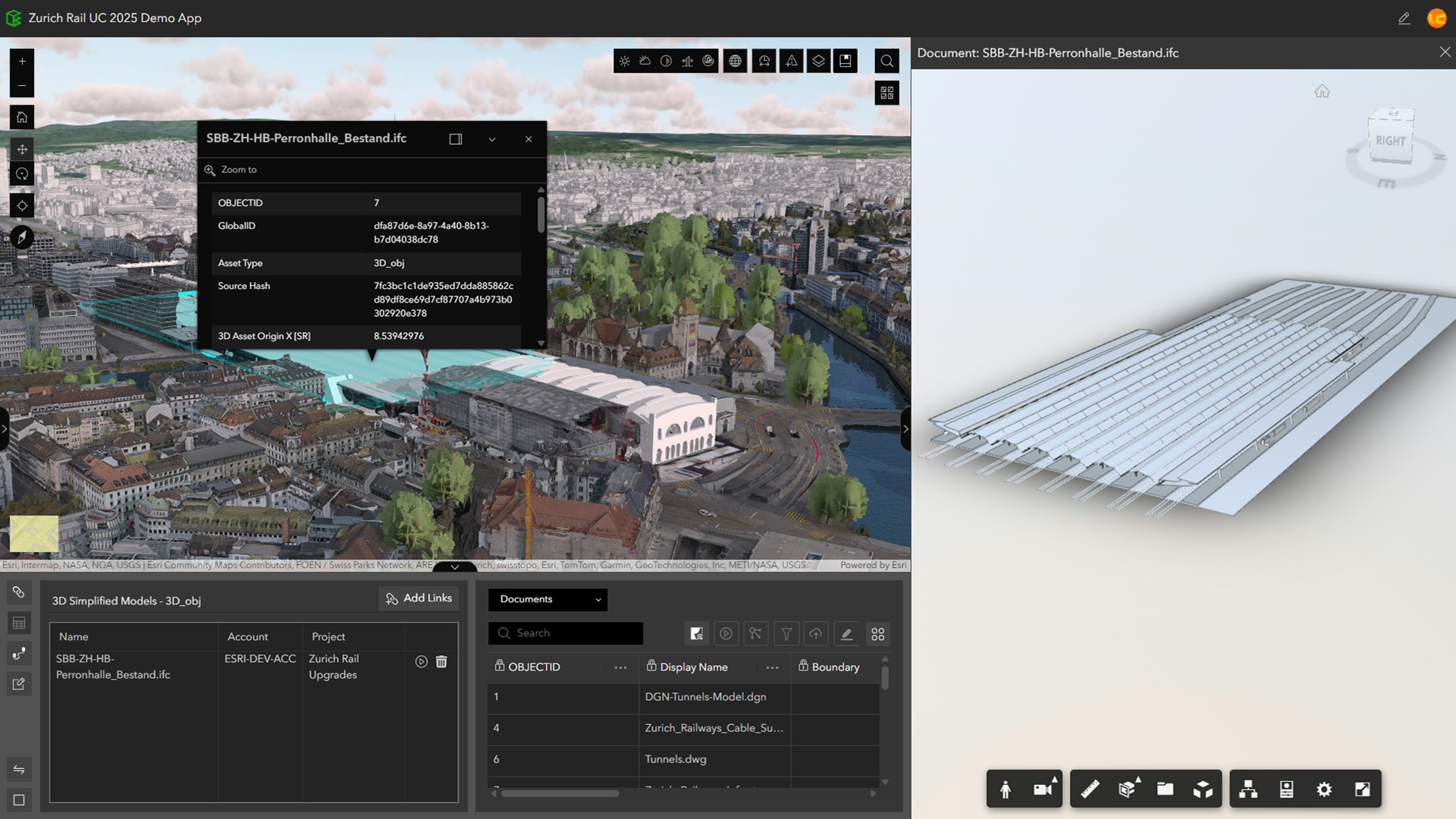
➡️Read more about this feature in the Transform your BIM workflows: Two ways to use Autodesk models in ArcGIS blog article.
➡️Dive deeper in our Add Document Models (beta) help topic.
New ArcGIS Experience Builder widgets
Three new widgets are available for building custom enterprise web apps that connect GIS and AEC data. These enhance integration with Autodesk Construction Cloud and extend the ArcGIS GeoBIM experience for better collaboration and project insight.
- Model Viewer – View and interact with 3D models and 2D documents.
- Link Explorer – View all project data linked to features in a map or scene.
- Document Explorer – Browse project documents in a folder tree.
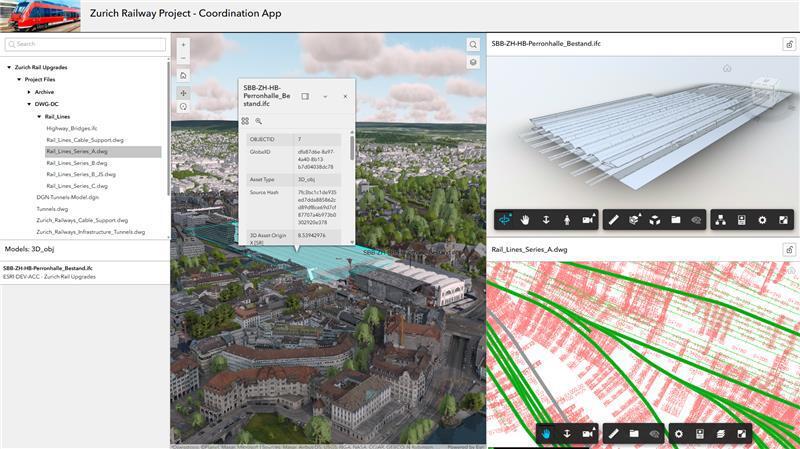
➡️Read more in the New widgets in ArcGIS Experience Builder connect to Autodesk blog article.
➡️Dive deeper in our Create ArcGIS Experience Builder apps with GeoBIM widgets help topic and tutorial.
➡️Explore documentation for Document Viewer, Document Explorer, and Link Explorer widgets.
Support for additional file formats
ArcGIS GeoBIM now supports JPG, PDF, and DGN files. These formats can be viewed and linked in context with GIS data, improving access to CAD drawings, field images, and engineering documents.
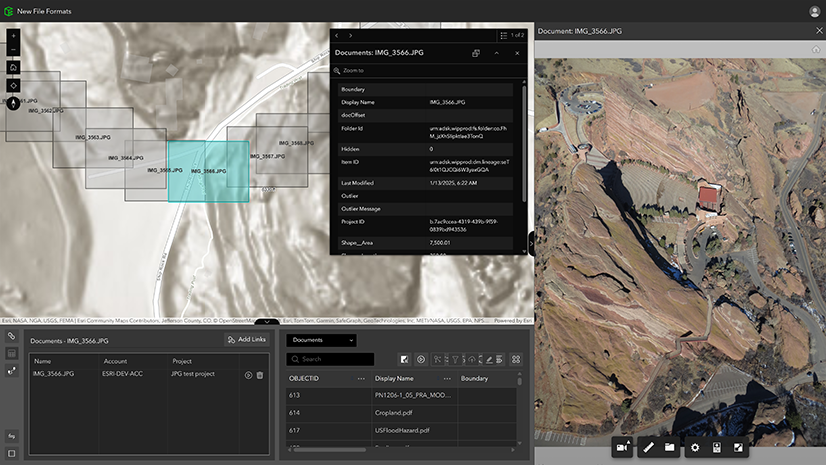
➡️Learn more in our Add Document Extents help topic.
➡️Check out our Release Notes for complete details.
Expanded Autodesk Construction Cloud regional support
ArcGIS GeoBIM now supports additional ACC regions for enterprise environments. Beyond existing US, EU, and AUS/APAC, support now includes GBR, DEU, JPN, CAN, and IND.
Want to help us drive new capabilities in ArcGIS GeoBIM? Post your product ideas in the Esri Community.
