Version 2025.2.901
Release Date:10/31/2025
New features:
GeoJSON Support
ArcGIS for Power BI continues to expand its support for more data types, and this release introduces GeoJSON compatibility. Just like with EsriJSON, you can now drag Geometry data directly into the Location field well to visualize your GeoJSON data whether you’re an ArcGIS user or a guest user. While mapping JSON data in ArcGIS for Power BI has some limitations, a recommended workflow is to use ArcGIS for Excel to prepare your geometry data, then import it into Power BI for mapping and analysis.
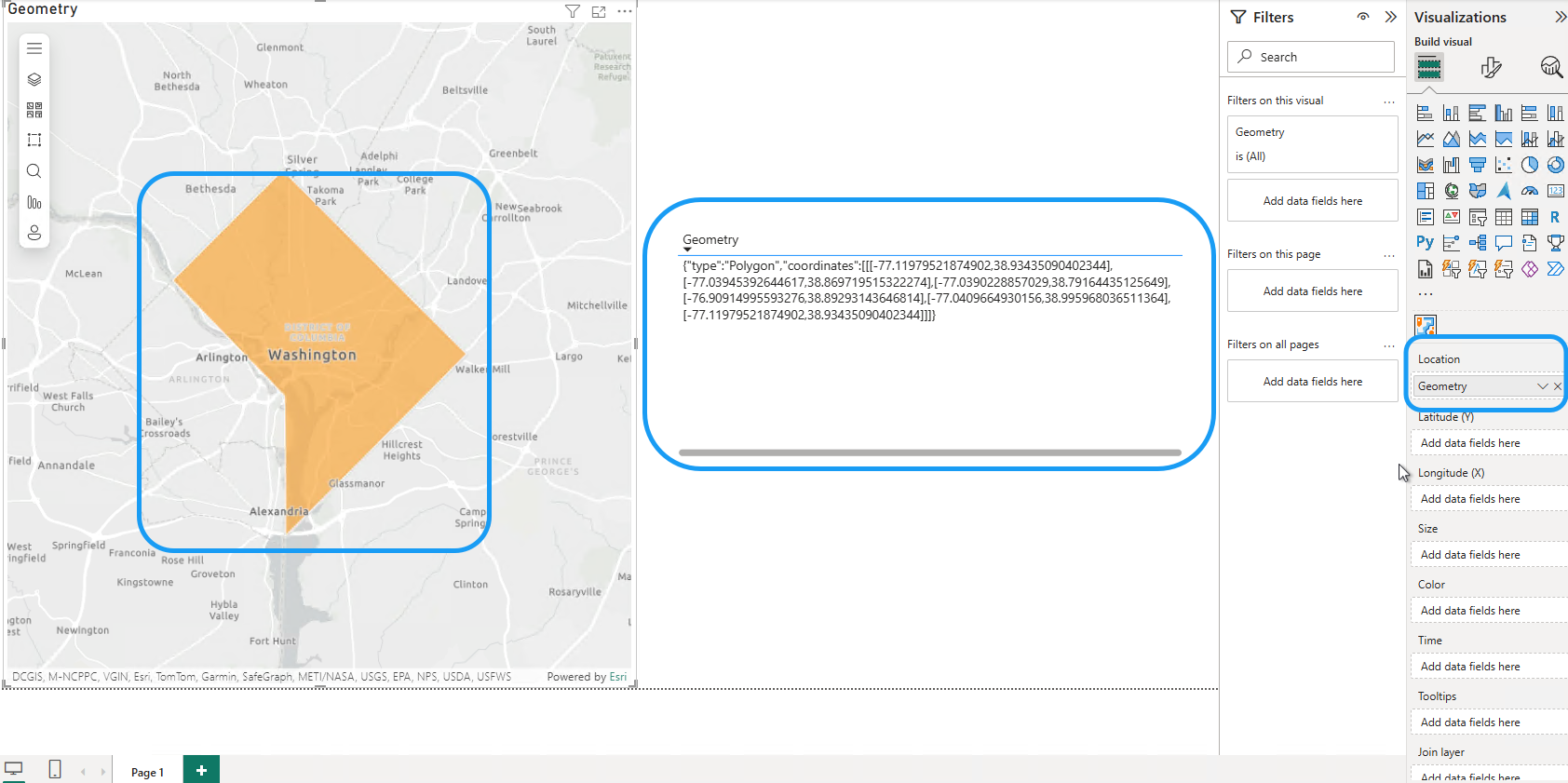
(ArcGIS for Power BI – GeoJSON support)
Spatial references support for EsriJSON
We hope you’ve been enjoying the spatial reference support for non-WGS 84 XY data in ArcGIS for Power BI. Previously, EsriJSON data required a defined spatial reference to be mapped. With this release, even if your EsriJSON data lacks a spatial reference, you can now easily select the correct spatial reference directly from the Location type tool, making your mapping workflow more flexible and intuitive.
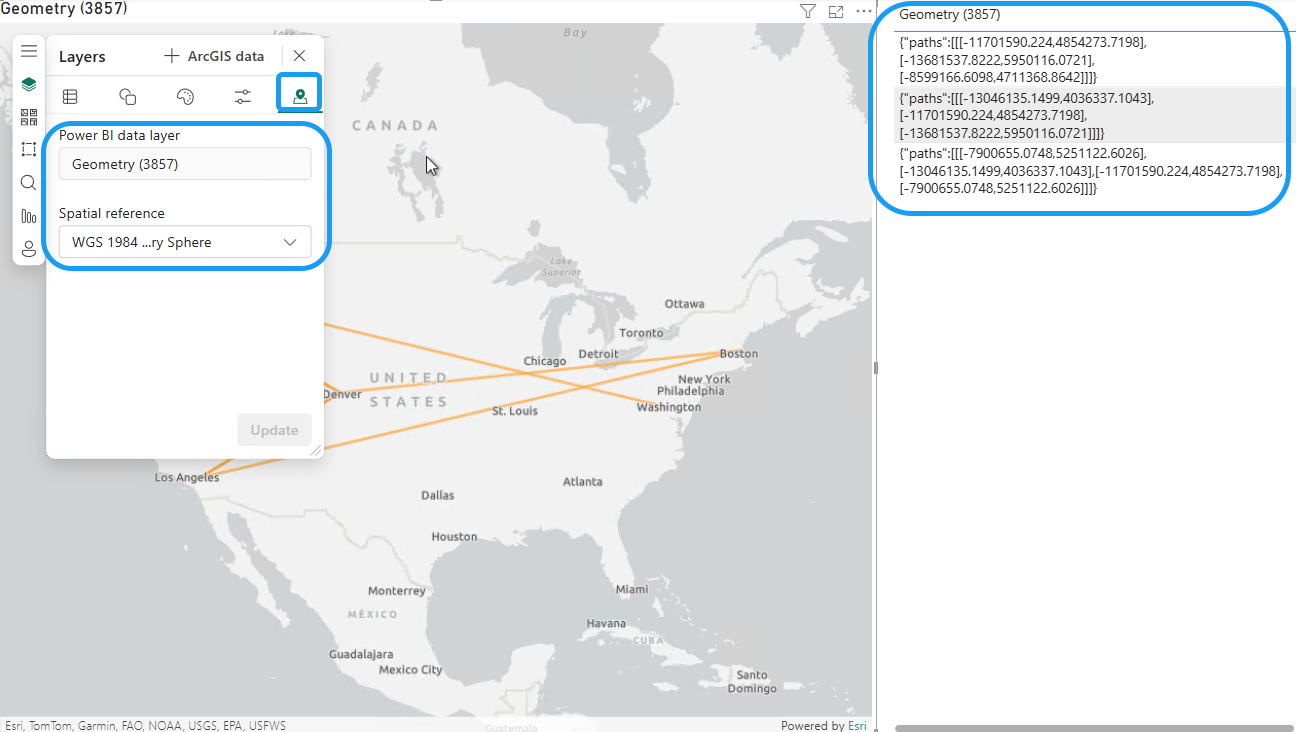
(ArcGIS for Power BI – Spatial reference support for EsriJSON)
---------------
Quality of life updates:
Basemap blocking page sign in for ArcGIS users
In this update, ArcGIS users, especially ArcGIS Enterprise users, can now sign in directly from the basemap blocking page. By clicking the Sign in button, you can restore a basemap that’s unavailable or has been deleted from the ArcGIS server or access your custom basemap with ease.
Learn more about ArcGIS for Power BI Basemap Blocked – Troubleshooting Tips.
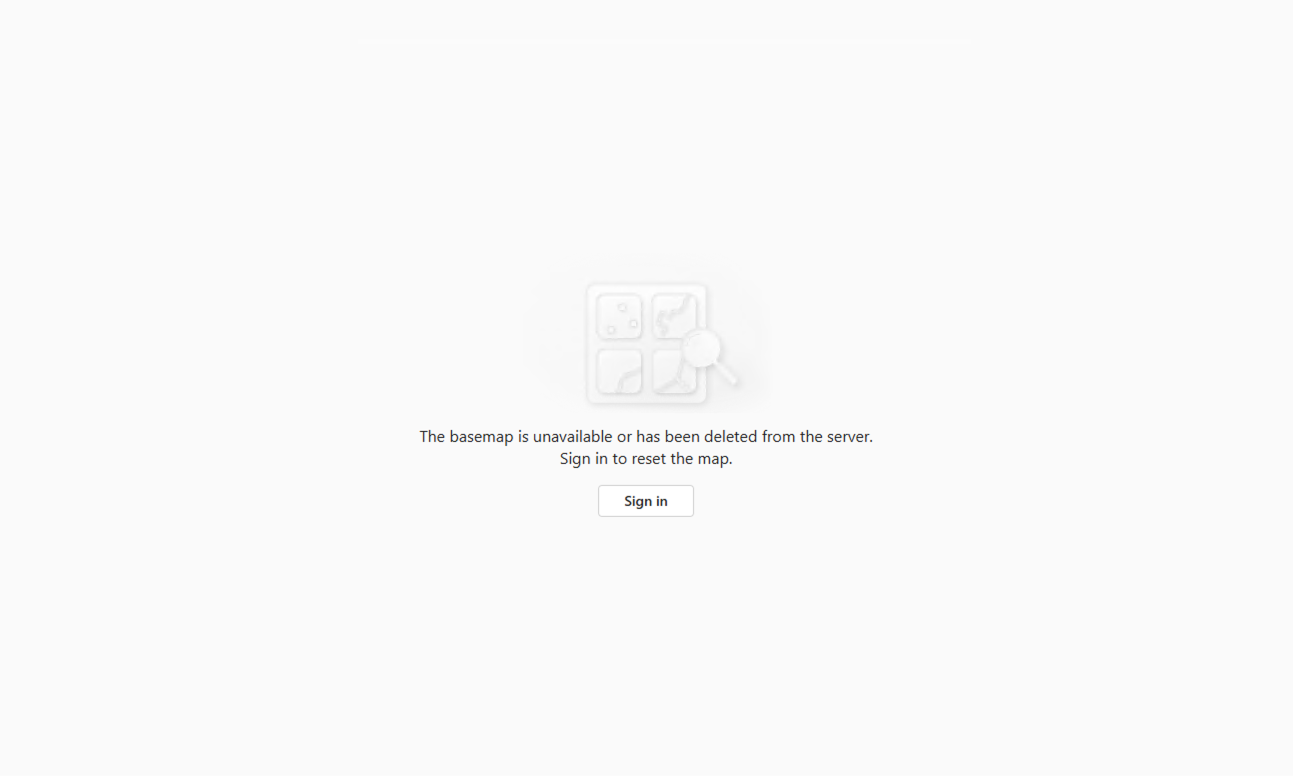
(ArcGIS for Power BI – Basemap blocking page sign in)
Expanded Theming Support
In this ArcGIS for Power BI update, heat maps, ArcGIS layers, and join layers now automatically adapt to high-contrast color themes, ensuring better accessibility and visual consistency across your reports.
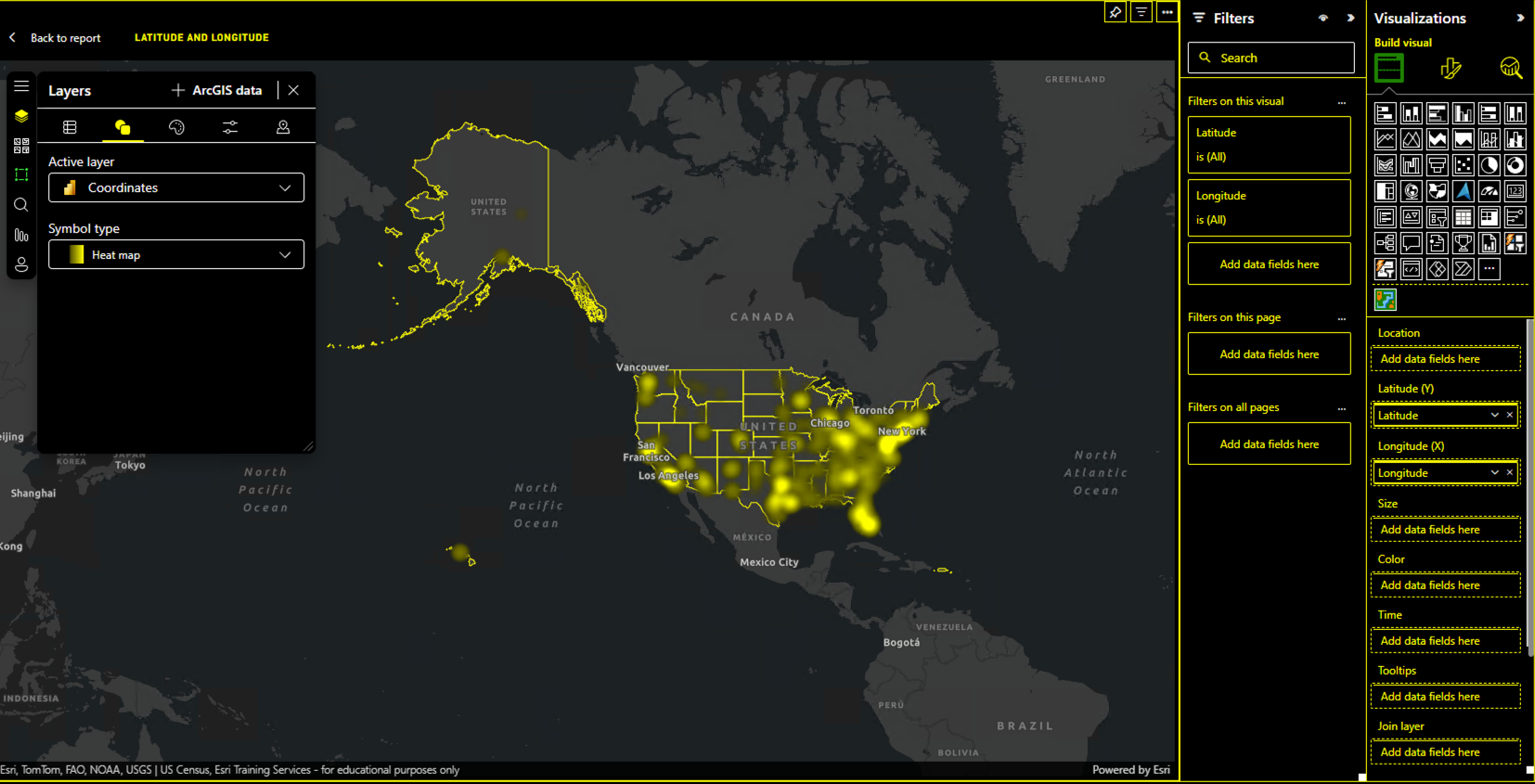
(ArcGIS for Power BI – High-contrast colors)
---------------
Bug fixes:
- Location type (Netherlands): Neighborhood codes and boundaries for the Netherlands are now up to date.
- Legend & Map Update: Legend and map now refresh correctly when new data is dragged into the existing Color/Size field wells.
- Power BI Data Layer Naming: Power BI data layer name now updates correctly when data is replaced in the Location field well.
- XY Data Mapping: XY data now maps correctly even after adding data to other Power BI field wells first.
- Feature Information for Join Layer: The feature information panel now properly reselects an updated join layer.
- Persistent ArcGIS Layer: Added ArcGIS layers are now removed correctly when all Power BI data is removed.
- Buffer/Drive Time Analysis: Fixed a failure when running analysis on input layers within the selection limit.
- Selectable Layers Dropdown: The selectable layers dropdown on Feature information panel now correctly displays “No layers selected” instead of “0 layers selected” when applicable.
- Scroll Wheel Zoom: Zooming with the mouse wheel now works when the cursor is over a point.
- Feature information Numeric Field Formatting for Join Layer: Join layer numeric fields now use correct formatting on Feature information panel.
- Clustering Persistence: Clustering for joined layers now persists correctly.
- Learn More Links: Updated links on the blocking pages and other broken links are fixed.
- Join Layer Query: Fixed query execution failures for certain ArcGIS layers after selecting the joined result layer.
- Selection Tool Accuracy: Selection tool now returns correct values after joining an ArcGIS feature layer and a Power BI data layer.
- Join Layer Stability: Fixed an issue where join layer disappeared and an “Unexpected error” appeared when switching between analysis tool tabs.
- Information Tool (Guest Users): Correct radius limit is now enforced consistently for guest users.
- Localization: “Hatch Fill,” “Pencil Landscape,” and “Polygon Fill” strings in the Shape dropdown are now localized.
- WMS/WMTS Validation: External WMS and WMTS basemaps and layers now correctly run the embed validation in ArcGIS for Power BI.
- De-selection: Users can now deselect items by clicking on a currently selected item.
- Join Layer: Fixed an issue where certain layers could be added via ArcGIS data but not through Select feature layer from Join layer tool.
- Stored Credentials: Fixed “Failed to fetch” error when adding a portal item with stored credentials.
- Legend & Selection Integration: Legend selection now integrates properly with the selection tool.
---------------
As always, we value your feedback and are committed to making ArcGIS for Power BI better with each release. Your suggestions help guide our improvements, and we’re excited to bring you these updates to enhance your mapping experience. Please feel free to share your ideas or if you find anything broken or does not make sense.
Stay tuned for future updates, and we look forward to hearing more from you!
