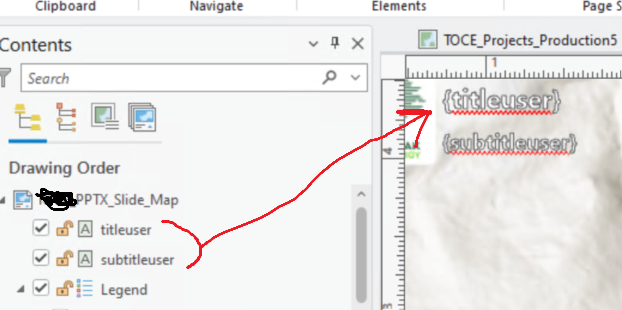
I’m working with a custom ArcGIS Enterprise printing template and would like to include text placeholders that the Print widget can recognize so users can type in their own text when generating a printout.
The issue I’m running into is that after publishing the layout and checking the Get Layout Templates Info output, my custom text elements do not appear in the JSON. Because of that, the Print widget does not detect or expose those text fields to the user.
Has anyone successfully configured custom text placeholders in a Pro layout so they are included in the Get Layout Templates Info response and become available in the Print widget? Is there a specific syntax, tag, or property required for text elements to be recognized?