I recently received a request from a user group in my organization to filter data in a web map where the Date Resolved value is or is after Today. I was unable to find this filter expression for date fields in the new ArcGIS Map Viewer.
For clarification, description and screenshots provided for this Idea are based on current limitations verified in ArcGIS Enterprise 11.3.
Upvotes are appreciated to get the attention of the Esri Product Development team on this one. 😀
The requested date field filter is available in ArcGIS Dashboards and Experience Builder. I followed up with Esri Support and verified that this filter is not available in the Map Viewer, despite availability in other ArcGIS applications. Enhancement ENH-000154234 has been logged for this functionality. It would be helpful if this filtering capability is included with the Map Viewer.
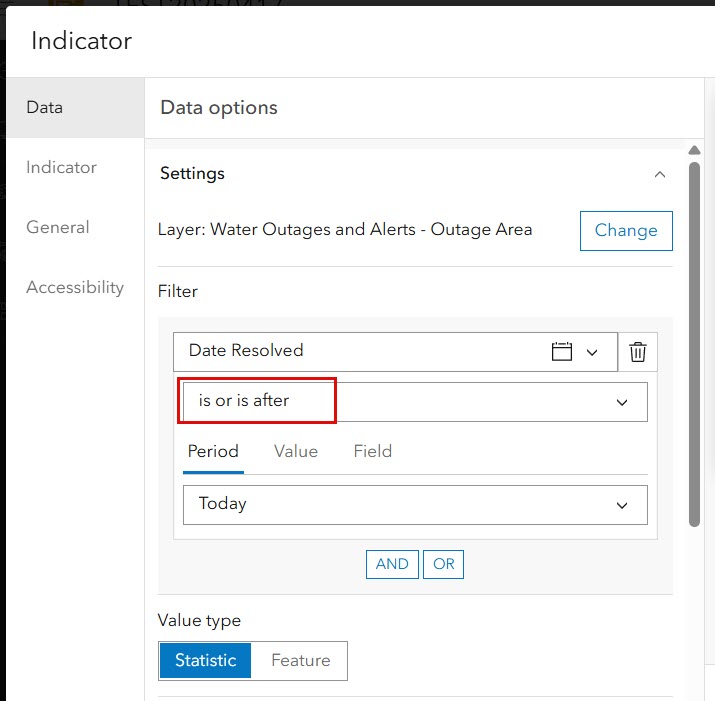
Screenshot 1: Date filter is or is after Today available in ArcGIS Dashboards. Sample Indicator widget displayed below.
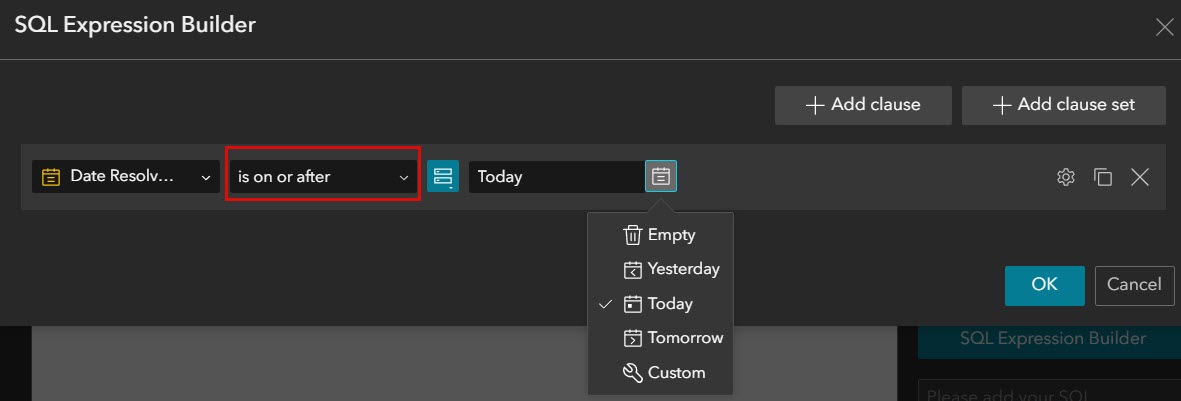
Screenshot 2: Date filter is or is after Today available in Experience Builder. Sample Filter widget displayed below.
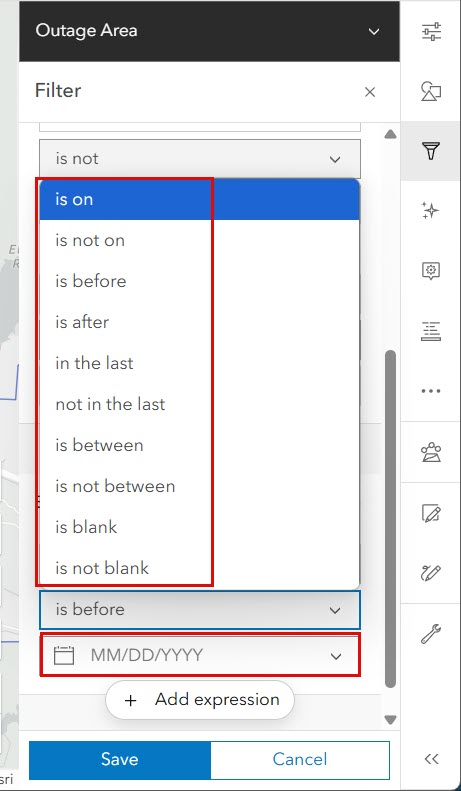
Screenshot 3: Date filter is or is after Today NOT AVAILABLE in ArcGIS Enterprise Map Viewer. Sample Filter expression does not contain this specific filter. The date parameter also requires a specific date to be entered. In other words, the filter cannot be set to a relative point in time such as Today, Tomorrow, Yesterday, etc.
My organization is 1-3 years away from upgrading ArcGIS Enterprise. I hope this makes it into a future patch for ArcGIS Enterprise 11.3.

