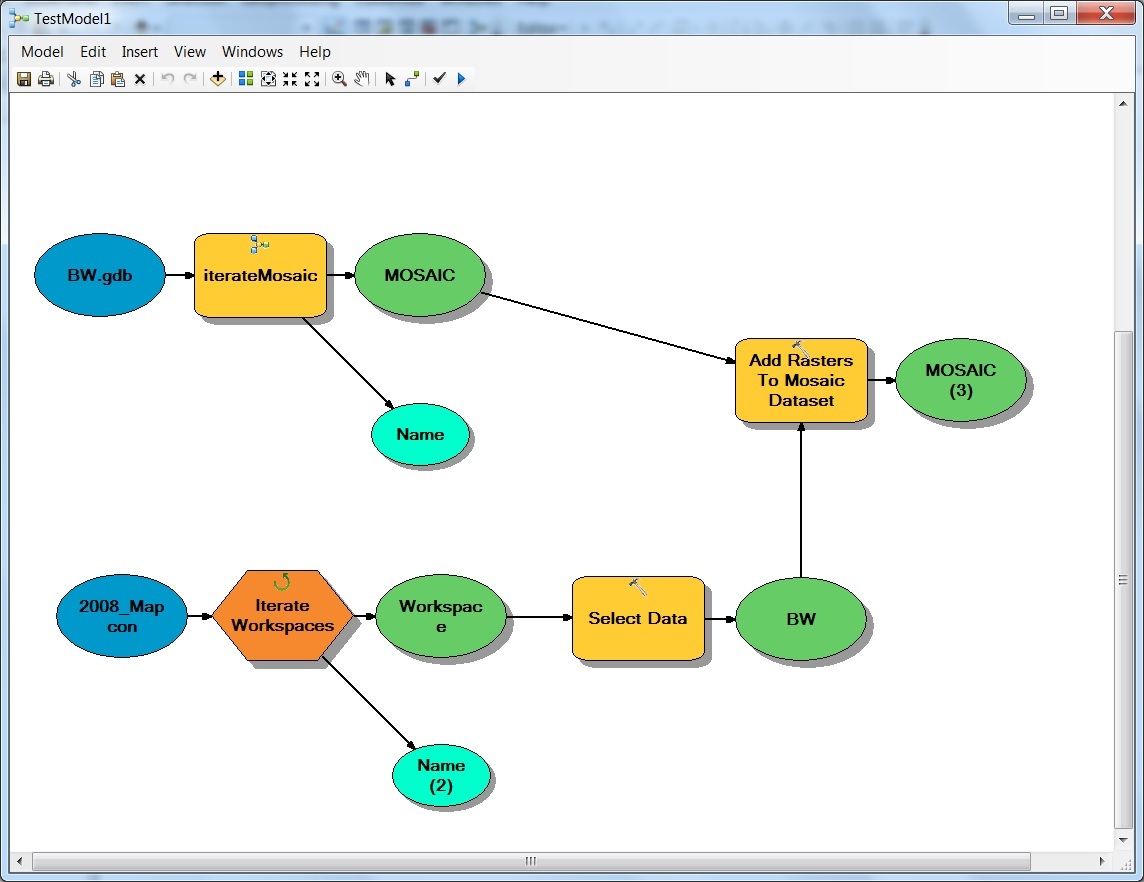
My raster mosaic datasets are in a file gdb ordered by block. For example Block_470 and Block_480.
My workspace has images ordered by block with subfolders with in each block. For example workspace Block_470 contains subfolders BW and RGB. This is the same for workspace Block_480. Meaning workspace Block_480 will also have subfolders BW and RGB.
I need to add the tiff files in workspace Block_470/BW to raster mosaic dataset Block_470 and the tiff files in workspace Block_480/BW will need to be added to raster mosaic dataset Block_480.
How can I iterate through so that the right tiff files in the subfolders go into the corresponding mosaic datasets?
I was thinking something like this:
<SPAN class="keyword token">import</SPAN> arcpy
workspaces <SPAN class="operator token">=</SPAN> arcpy<SPAN class="punctuation token">.</SPAN>ListWorkspaces<SPAN class="punctuation token">(</SPAN><SPAN class="string token">"//nyx-galli/eGIS/Data/Raster/Imagery/Aerial/SGIC/2008_Mapcon/Block4*"</SPAN><SPAN class="punctuation token">,</SPAN> <SPAN class="string token">"Folder"</SPAN><SPAN class="punctuation token">)</SPAN>
datasets <SPAN class="operator token">=</SPAN> arcpy<SPAN class="punctuation token">.</SPAN>ListDatasets<SPAN class="punctuation token">(</SPAN><SPAN class="string token">"D:/TestRasterMosaic/BW.gdb/Block_4*"</SPAN><SPAN class="punctuation token">,</SPAN> <SPAN class="string token">"Mosaic"</SPAN><SPAN class="punctuation token">)</SPAN>
<SPAN class="keyword token">for</SPAN> i <SPAN class="keyword token">in</SPAN> workspaces<SPAN class="punctuation token">:</SPAN>
workspaces2 <SPAN class="operator token">=</SPAN> arcpy<SPAN class="punctuation token">.</SPAN>ListWorkspaces<SPAN class="punctuation token">(</SPAN><SPAN class="string token">""</SPAN><SPAN class="punctuation token">,</SPAN> <SPAN class="string token">"Folder"</SPAN><SPAN class="punctuation token">)</SPAN><SPAN class="line-numbers-rows"><SPAN></SPAN><SPAN></SPAN><SPAN></SPAN><SPAN></SPAN><SPAN></SPAN><SPAN></SPAN><SPAN></SPAN></SPAN>
This did not work for me: