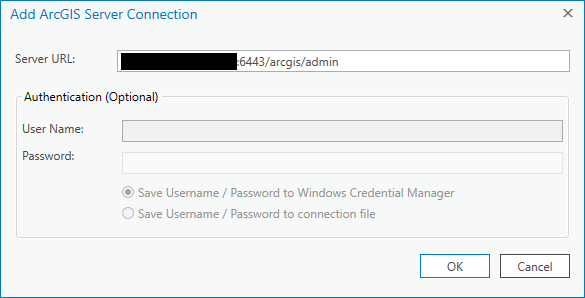
I am trying to publish a GP model, following this guide: https://pro.arcgis.com/en/pro-app/help/analysis/geoprocessing/share-analysis/quick-tour-of-authoring-and-sharing-geoprocessing-services.htm
Unfortunately, I can't connect to the server. I go to Insert > Connections > New ArcGIS Server, add the server URL in the popup, and the Authentication fields immediately get greyed out. I hit OK anyway, get the "ArcGIS Sign In" popup, enter the admin login info and now I'm signed in with Pro. Under "Servers" in the Catalog pane there's also a connection entry. However, when I try to change it, everything's greyed out there too, except the server URL, which has now changed to /services! When I change it back to the proper URL I entered before and click OK, Pro again changes it to /services. What's the problem here?