I have a hosted feature layer in ArcGIS Online which I have added as a reference layer to an ArcGIS Maps for Power BI visual. The colours/styling that have been set n AGOL are honoured in Power BI.
However, the layer has around 20 attributes. I have hidden most of them in AGOL using the Data tab, just leaving the feature's name and one value visible. I have also changed the popup settings in the AGOL Visualisation tab to only show these two fields. But when a feature is clicked in Power BI the tooltip shows all the layer's attributes. Tooltips are also displayed for features that have been filtered out in AGOL.
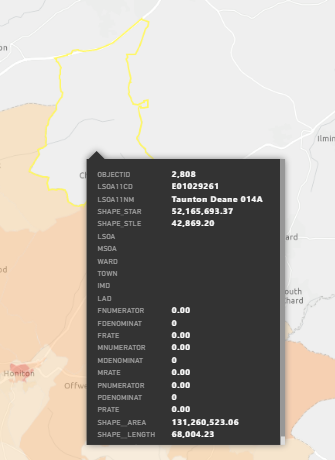
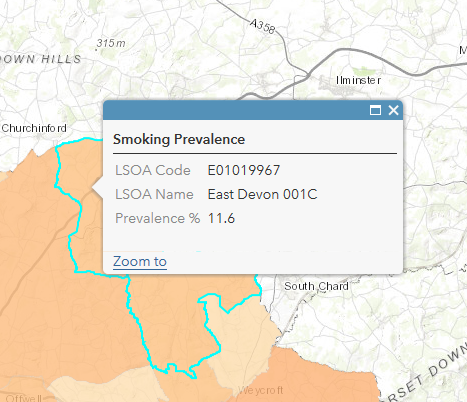
Any ideas how to limit the tooltip attributes and make the filter honour the settings in AGOL, or is this a bug.



