I used ArcPy to import a csv file as a table into a GDB. Fine, it worked as usual.
Then I figured I had to add some columns, so I changed the csv file and tun the python again. In the result, some columns were imported incorrectly. So I retried from within ArcDesktop, but got the same result.
So, I right clicked on the CSV in the Catalog and saw a messed up field list that didn't correspond to the actual fields in the CSV. Two fields were even doubled because when running the tool the second time, I had changed the Data type of 2 fields manually.
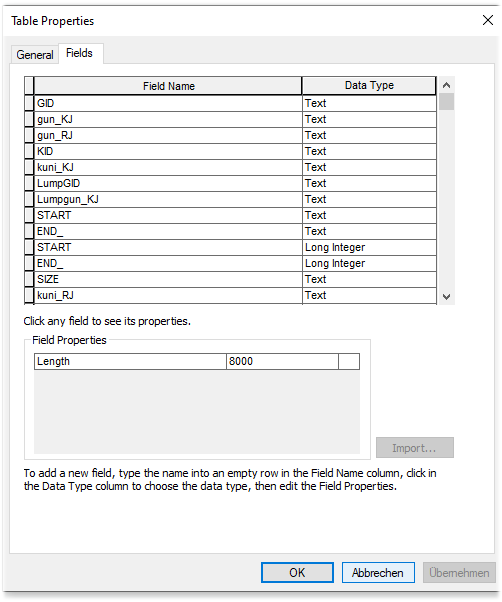
When I rename the CSV, the fields just show up as they should.
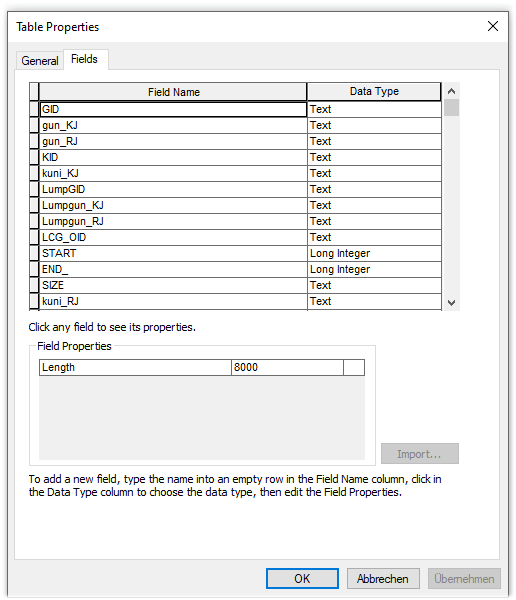
I figure there has to be a cache for those properties, but I don't know how to reset that cache.
I am asking because just renaming won't help. My tables have specific naming conventions for iterations.







