I am trying to build a form in Field Maps Designer but it is really putting up a fight. If I don't save after every change it will revert all changes since my last save as soon as I navigate out of the form. But this new issue is what has broken me.
- I made a feature layer called Other Points in my Content list (not in Field Maps Designer). I used the GPS metadata option, so the only attribute fields it had to start were the automated Esri GNSS fields.
- I opened the map I'm working on in Field Maps Designer and added Other Points by using the "add layers" button in the Forms view.
- I then added a text field and a date field to the form and hit save. It created the text field attribute successfully but not the date field.
- I tried adding the date field two more times and eventually it worked.
- I closed Field Maps Designer and went into the item details of the layer and added a few more fields directly to the layer.
- I went back into Field Maps Designer, where those fields appeared as options in the Form Builder. I added them to the Form and hit save.
- I clicked on a different layer to change something in that form, and when I clicked back to Other Points I got an error message telling me that the three fields that I had added directly "no longer exist"
- I opened the layer details and checked the Fields list in the Data tab. The fields very much still exist.
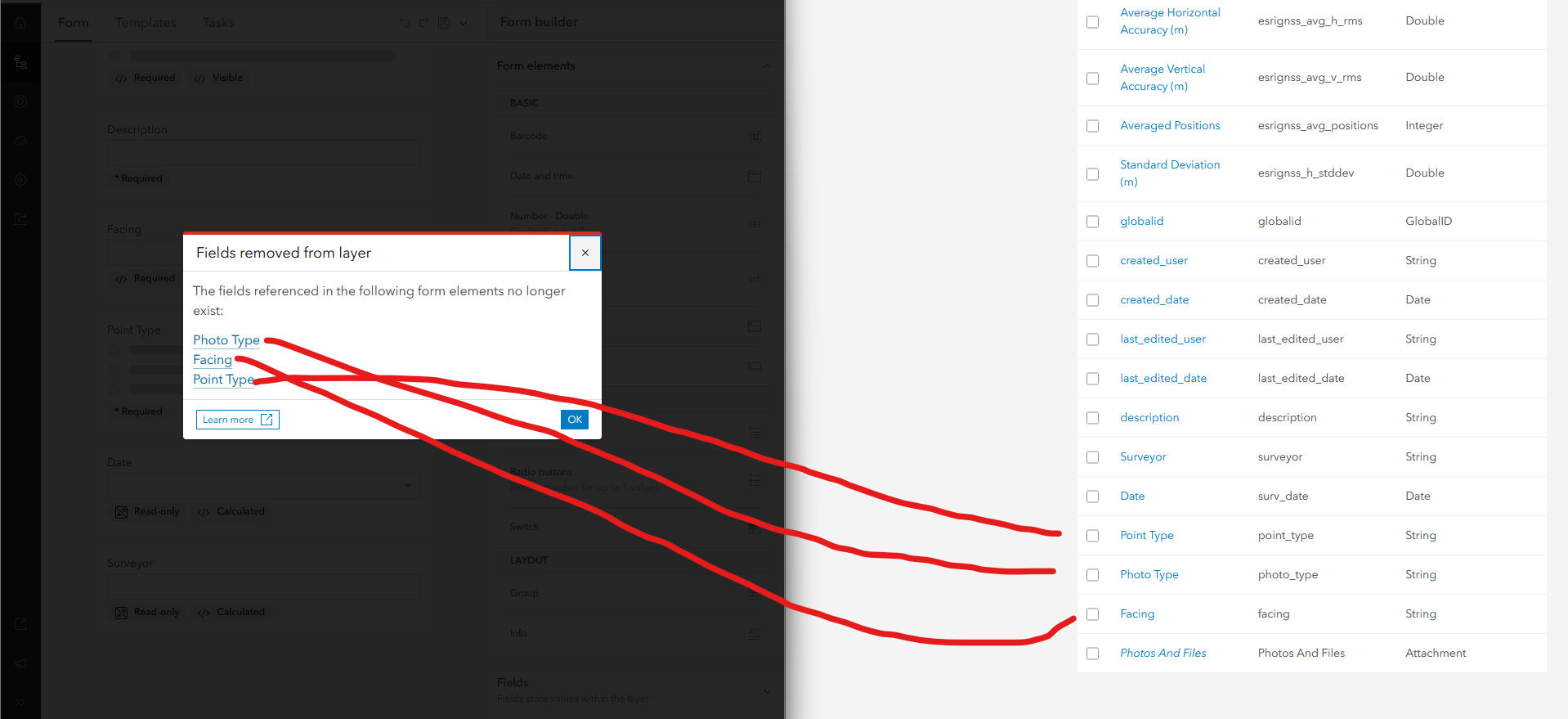
I tried refreshing the page several times. Sometimes it remembers the fields do exist and I'm able to make one change to the form. Sometimes it does not remember they exist.
When I go to add a point in the map in the Field Maps app while the Field Maps Designer has forgotten these fields, the Other Points layer says "The form contains unsupported data". If the Field Maps Designer remembers these fields, the layer works just fine in the app.
What in the world is happening??? I've posted this in Enterprise questions because these seems like an issue with the way these different components are (or aren't) communicating. My organization is running version 11.5.



