Many data models require storing multiple categorical values for a single attribute. A common example is selecting several applicable categories, tags, or characteristics for a feature.
In the form configuration of ArcGIS Online and the ArcGIS Maps SDK for JavaScript Editor, combobox fields currently support only single-value selection.
However, there are common workflows where users need to select multiple predefined values from the same domain.
Current behavior
Combobox fields allow selecting only one value from a coded value domain.
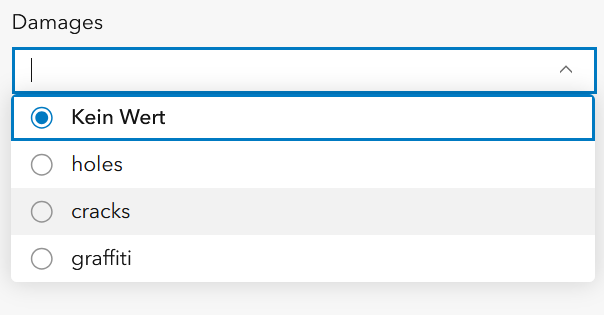
To represent multiple values, users currently must:
- create multiple boolean fields
- create related tables
- or manually concatenate values in a text field
These approaches have several drawbacks:
- more complex data models
- reduced usability for editors
- increased risk of inconsistent values
Proposed enhancement
Add native support for multi-select combobox fields in ArcGIS forms.
Possible configuration example:
fieldName: hazard_types
inputType: combobox
multiple: true
delimiter: ";"
Behavior:
- Users can select multiple values from the coded value domain.
- Selected values are stored in a single string field, concatenated with a configurable delimiter.
- Existing single-select combobox behavior remains unchanged.
Example stored value:
holes;cracks;graffiti
Benefits
- Supports common tagging and classification workflows
- Simplifies data models by avoiding additional fields or related tables
- Improves editing usability in web and mobile apps
- Provides a consistent solution across ArcGIS editing environments

