I am testing out the new Add Geometry to Indoors Positioning Dataset tool released with 3.6 and overall, it has drastically improved the accuracy of our IPS (yay!) but I keep getting an error for some entrance/exit transitions and cannot seem to figure out why.
The error is: WARNING 250084: Entrance / Exit Features with the following Object IDs are not within any valid Level Feature and will not be processed: 7, 8, 9, 10, 11.
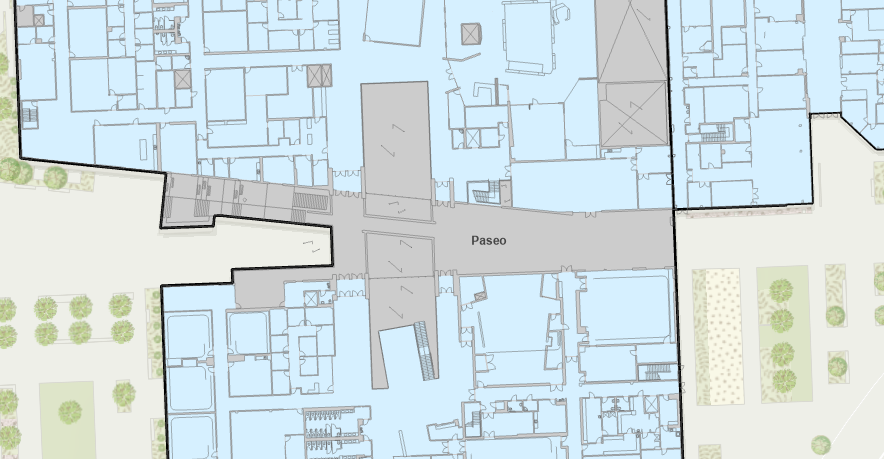
All of those transition features are on the second level of a building that opens up to an outdoor paseo. For context, the building is on a hill, so the east side "ground level" is floor 2, and the west side ground level is floor 1. The building is also split on the second floor, with a paseo that runs through it. Here is the second level floorplan for reference. Blue units are indoors, and the gray with black border area is the level feature.
There are also a couple doors/transitions on the first floor, just below the ones on the second floor, and those process correctly. We also have a similar situation in another building, where the west entrance is on the first floor and the east entrance is on the second floor, just no split in the building/level, and those both processed properly as well.
Here is the output of the tool I am getting:
Floor 1: works as expected
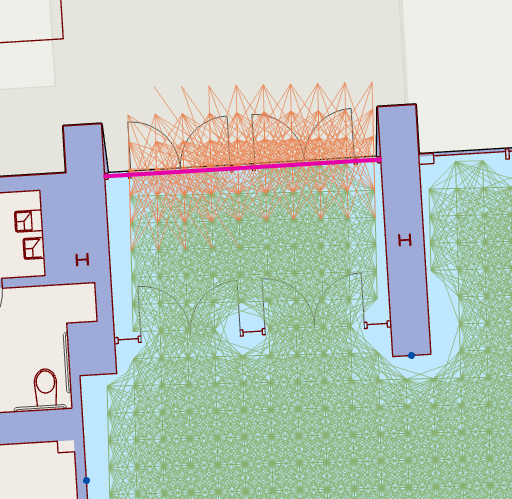
Floor 2: fails to create a transition
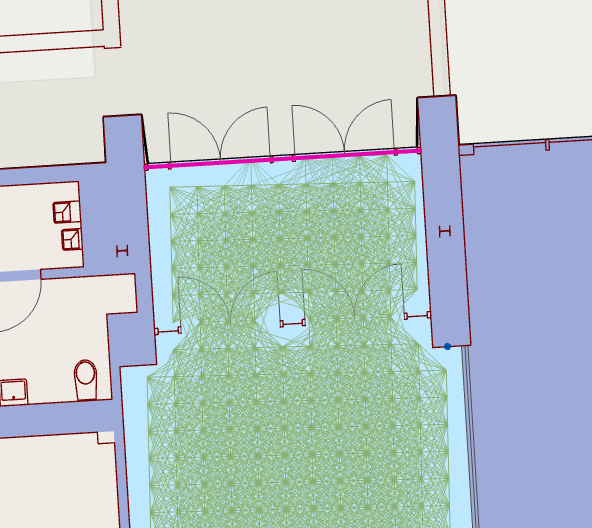
I first thought it was because the level feature edge was too far from the transition, so I reshaped the level to only include the interior of the building, but that did not help. I have checked the Z values and made a 3D scene to ensure the level, IPS areas and transitions are all on the same plane and they are. All the attributes seem to be correct, and I cannot find any difference between the areas that work and the areas that do not work.
I know this is a new tool but does anyone have any ideas on what is happening?



