I am doing a spatial join between two datasets ("LUI" and "Parcels") with the Are identical to match option. Since I'm looking for exact matches, I would think that the order of datasets does not matter -- that is, I could put LUI as Target Features and Parcels as Join Features, or I could put Parcels as Target and LUI as Join, and get the same result. Strangely, there is a single polygon which only shows up in one of the joins.
Here is how most of it looks. The crosshatching in both directions shows both versions of the spatial join, and Identify shows 4 entries.
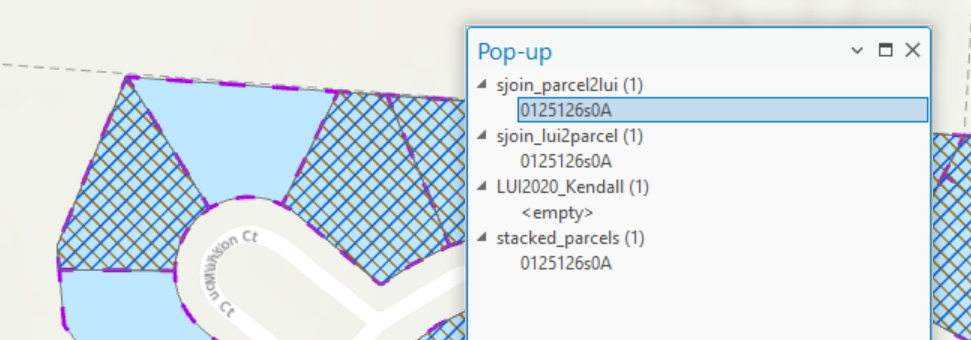
Here is the outlier:
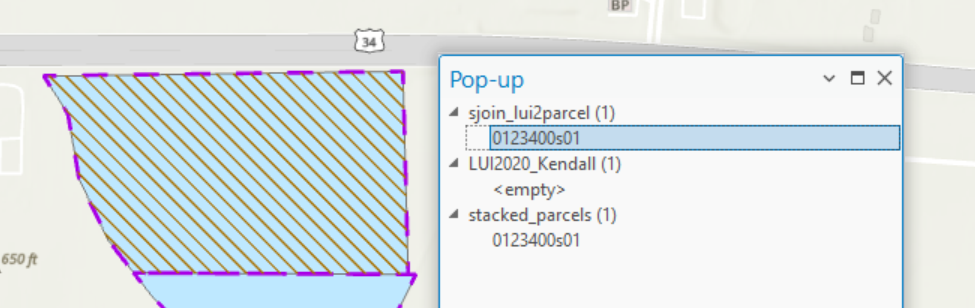
If I select the underlying two polygons and double check the geometries by direct comparison, it says they are equal as well:
with arcpy.da.SearchCursor('LUI2020_Kendall', 'SHAPE@') as c1:
    for r in c1:
        with arcpy.da.SearchCursor('stacked_parcels', 'SHAPE@') as c2:
            for q in c2:
                print(r[0].equals(q[0]))
>> True The other things I checked are that it doesn't make a difference whether the two source layers are in the same GDB or not, and that the source layers have the same CRS except for the Z precision (and there is no Z element in these shapes). I am using ArcGIS Pro 3.5.2.
Any explanation of why this behavior is different would be greatly appreciated!

