From my ArcGIS Online account, I need to share my private layer with a customer in a simple way, so he'd be able to add it to his scene, and hence, to his web application.
I found an article from Sep 15, 2023 "Leveraging API Keys for Un-Credentialed Access to Hosted Layers" referring exactly that issue. It explains that by appending the API key as a token to the private layer url, thus: <layer service url>?token=<api key>, we have created a "shareable url", that can be used by the customer as if the layer was public.
The article speaks about "set up your scope", but I have not succeeded to see and understand what it meant...
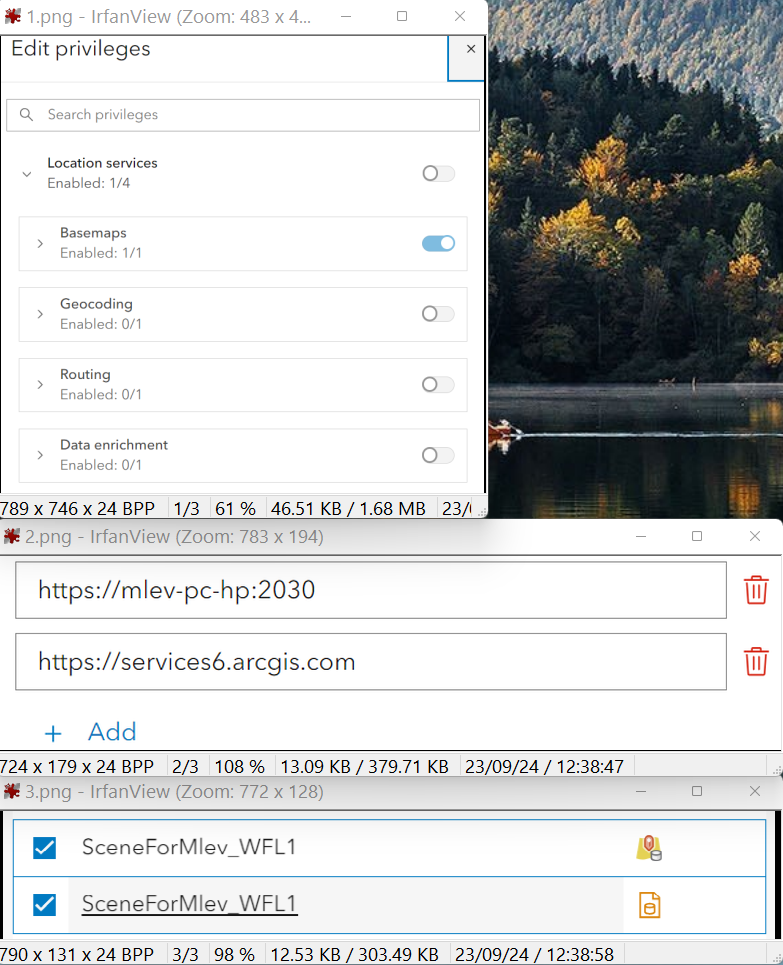
In my api key "Edit Item access" I enabled the layer and its service url, and I even have set the referrer to the domain of the layer service url, hoping that this is what was meant by "set up your scope".
But when setting it as an address in chrome, I got an err msg: "invalid token", even without requesting username and password, as in the article's example.
I suspect that I have not yet succeeded to define the API Key exactly as needed, but I don't know what is the error and how to fix it. I hope an elaborated example and some explanation could help.
I attach screenshot of that API Key privileges, referrers and Item access