Hi,
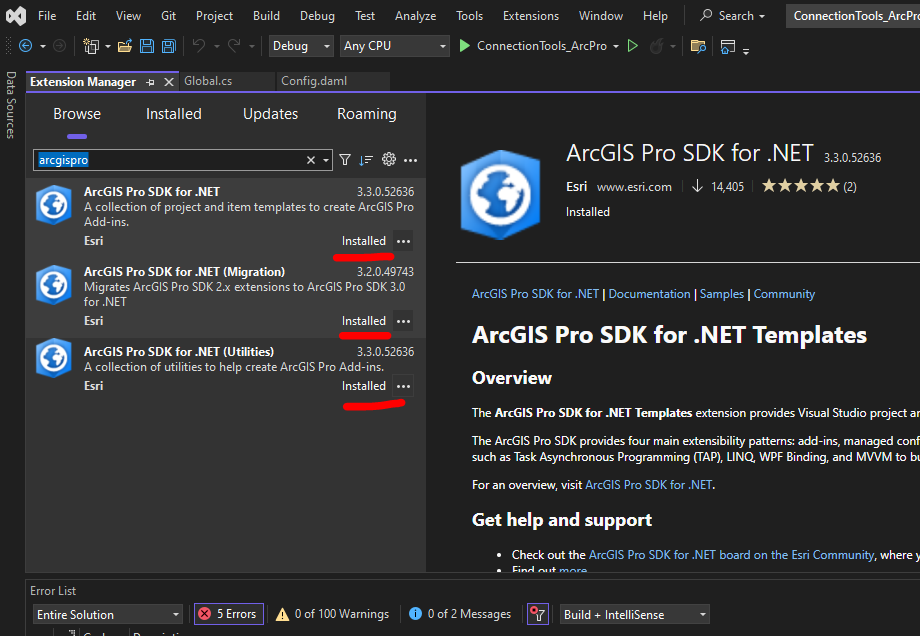
What is the fix for this error message in Visual Studio? I've recently upgraded to ArcGIS Pro 3.3.1, but this particular VS Project was created while I had 3.2 installed. This error comes up when I "Build" the project.
"Error (active) CS1705 Assembly 'ArcGIS.Core' with identity 'ArcGIS.Core, Version=13.3.0.0, Culture=neutral, PublicKeyToken=8fc3cc631e44ad86' uses 'System.Runtime, Version=8.0.0.0, Culture=neutral, PublicKeyToken=b03f5f7f11d50a3a' which has a higher version than referenced assembly 'System.Runtime' with identity 'System.Runtime, Version=6.0.0.0, Culture=neutral, PublicKeyToken=......."
This is my config.daml file:
<?xml version="1.0" encoding="utf-8"?>
<ArcGIS defaultAssembly="ConnectionTools_ArcPro.dll" defaultNamespace="ConnectionTools_ArcPro" xmlns="http://schemas.esri.com/DADF/Registry" xmlns:xsi="http://www.w3.org/2001/XMLSchema-instance" xsi:schemaLocation="http://schemas.esri.com/DADF/Registry file:///C:/Program%20Files/ArcGIS/Pro/bin/ArcGIS.Desktop.Framework.xsd">
  <AddInInfo id="{92017173-04f5-4aa1-9e25-bc96939ea535}" version="3.2" desktopVersion="3.2">
    <Name>Service Connection Tools</Name>
    <Description>Includes tools for:  Hydrant, Effluent Hydrant, ICI, Residential, Firleine, CatchBasin, and Sewer Connection </Description>
    <Image>Images\toilet_paper.png</Image>
    <Author>Brian Bulla</Author>
    <Company>Region of Durham</Company>.......
Even if I update the version and desktopVersion to 3.3.1, I get the same error. I seem to have all the most recent extensions installed too, so not really sure how to fix this.