I'm trying to create an alternating hashed line pattern for a polygon fill in a vector tile output as seen in the below image in the waterbody. I initially tried hash lines, but they turn out completely blank when converting to vector tiles, so I switched to a marker fill as seen below.
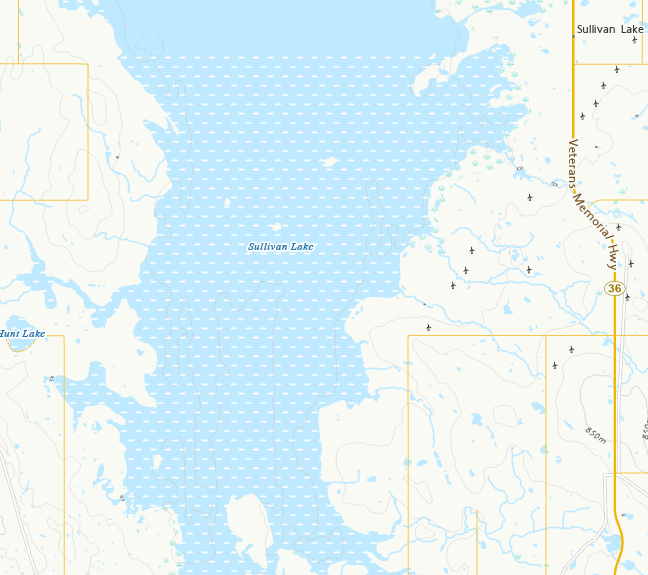
This looks like what I want, but when it's converted to vector tiles, it loses the alternating rows and instead is just columns. Ok, what if instead of doing a single marker, I use an SVG? I created an SVG to replicate this look and loaded it into pro. The below is an example where I've coloured the three different svg parts to differentiate / help with spacing. I've also included this SVG and lyr file, if interested in playing with the settings.
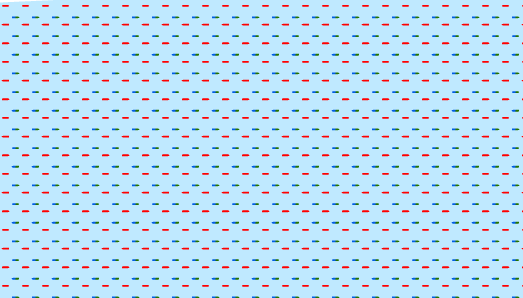
This looks fine, but when it's converted to vector tiles, it loses two out of the three parts and basically becomes columns again. From this, I figured, that when converting to vector tiles, it seems like it doesn't use the "respect frame" option because if I turn that off, then it ends up looking the same. Ok, what if I combine the three paths into one in the svg? Same issue, it somehow drops the other two paths.
So, I'm not sure why this is so complicated. I understand that Vector Tiles don't support that much, BUT that shouldn't really be an issue since the fills are converted into PNG images which are used to create the fills. So, even with it's limitations, why can't Pro create a PNG from the hash-line, marker, SVG fill that looks near exactly the same? Or, is there something I'm missing? Maybe there's another setting or something that I can try? At this point it would almost be better for me to just download and edit the PNG and re-upload, but I need something that can be repeated / automated during updates, so that wouldn't be ideal.

