There seems to be quite a bit of functionality that has not or will not be replicated in experience builder. Here are some widgets I’m having problems reproducing their functionality in experience builder:
- Layer list/attribute table – the ability to open the attribute table from the layer list appears to not be possible in experience builder. You have to setup separate table widgets in experience builder for each layer. I think it was very useful for the user to be able to view records in the attribute table when necessary. You can also specify which layers in your map are viewable in the attribute table. I would love to see an example that proves me wrong!
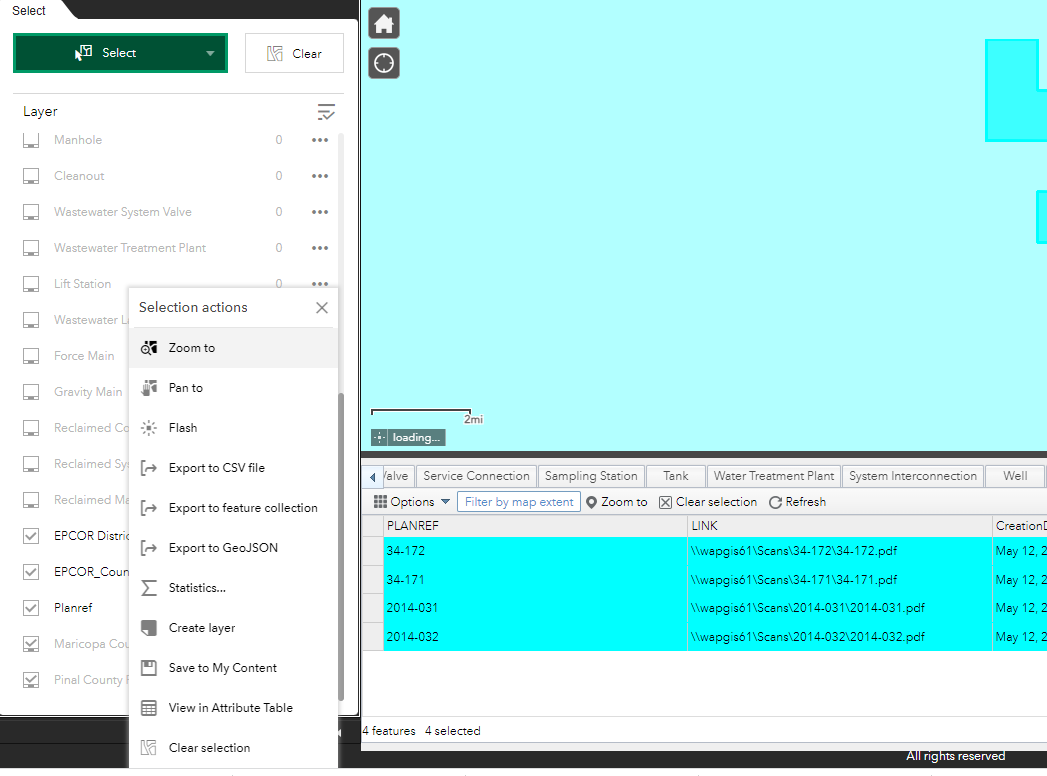
- Select features – In web app builder, the user is given options on which layers to interactively select with the usual select by point, rectangle, polygon, circle, line, and lasso. In experience builder, the user can select using any of those methods but does not have any control on which layers are selectable. For example, if a user wants to only select plan ref’s for a given area, they will be returned those features plus any other layers that are turned on.
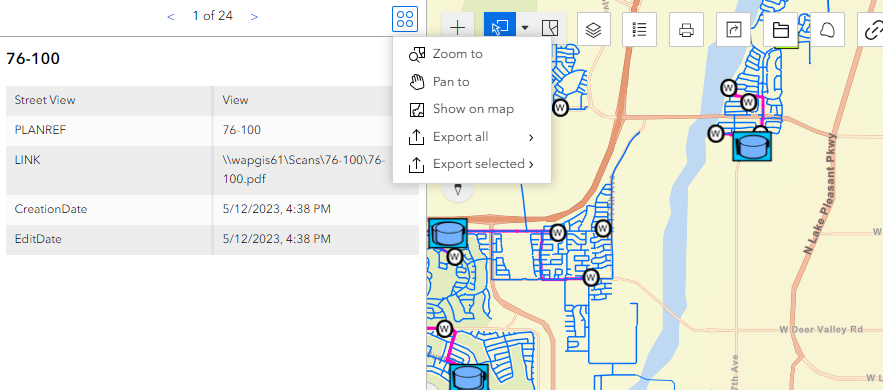
- Viewing selected feature details – Also within the select widget in web app builder, the user is given the ability to view selected records in a list and click through each one to view it’s popup details. The user is also given the option to pan, zoom, flash, export, view statistics, and view in attribute table. (see screenshot below) I really liked the flexibility of this widget. The “feature info” widget (2nd screen shot) in experience builder appears to be the closest reproduction of this, but the user is required to click through each selected record instead of viewing a list of all selected features.
- Draw widget – the web app builder widget gives the user the option to create text in addition to several other markup tools. The option to create markup text in experience builder does not appear to exist. This option is very useful for redlining areas in GIS that need corrections.