I am just getting started with Indoors and have received CAD files for our facility. For the units layer, there are multiple annotation anchor points, and only one makes it into the target field. Since I don't have control over how the CAD is created or organized, is there a way for me to instruct the import CAD script to capture all annotations? For a specific example, see the image below. I want the 001A to be carried over, but instead M018 is the only thing that makes it.
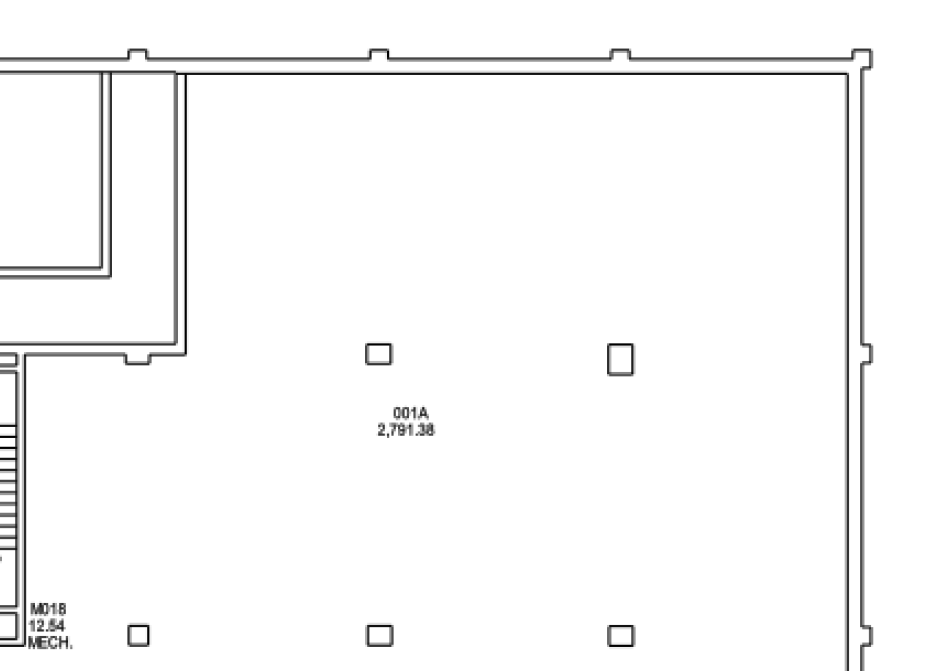
Or do I need to do some manual splitting/filtering of the input CAD prior to running the script? Thanks for any guidance.

