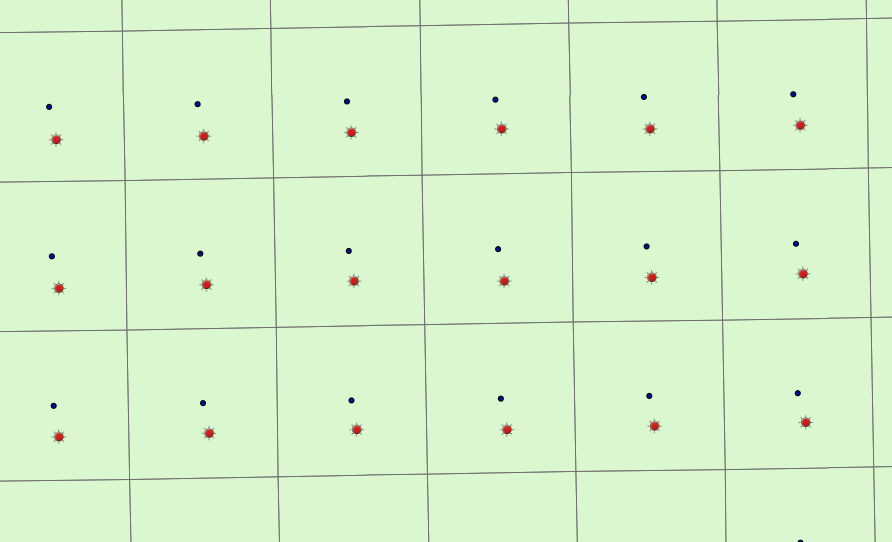
I'm having an issue with ArcGIS Online losing decimal places when I import a .csv file into an AGOL project. When I export features directly from ArcGIS, I can maintain the position of the centroids that drop directly into my grid. But when the same dataset is uploaded to AGOL via .csv in Google Sheets, the data are shifted from their true centroid location. How do I remedy this? I need to have the data coming into the project via .csv from Google in order to automate map updates from an external client.
The process works fine when the same data are exported from the desktop environment to a feature in ArcGIS online. The shift in the points is minor, but we must maintain the centroid position and therefore get Google Sheets to accurately place the data it has been given. The shift is only by 3 feet, but these point features are critical for locating a feature in the field.
Black circles show centroid from desktop export. Red circles are what happens through the .csv import.