This post was developed by Esri staff with the purpose of modeling real customer questions and positioning them with answers in a way that complements our users’ search processes.

We use Verizon Connect to track vehicles in our van pool in Cheyenne Wyoming. The clocks on our vehicles are set to Mountain Standard Time (MST) which is -7 hours relative to UTC.
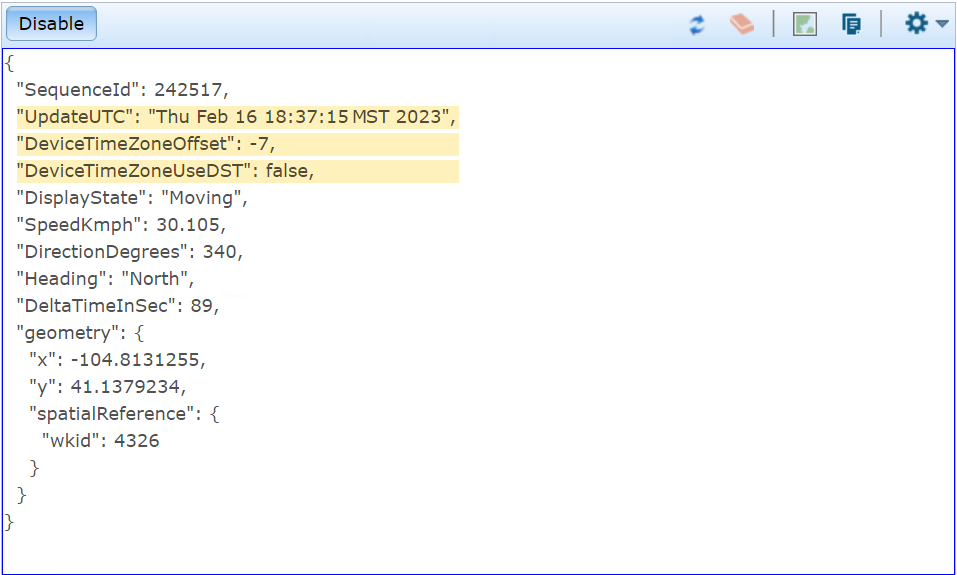
When I use the GeoEvent Sampler to look at data from my input I see the date and time in MST, which is what I want. The data also appears to be in MST when I look at output I’ve written to a CSV file. Here are a couple of screenshots of what I’m seeing:

When I look at feature records in the database the date and time look like they’ve been switched to an integer. When I open the feature record’s attribute table in ArcGIS Pro all of the values are offset 7 hours.
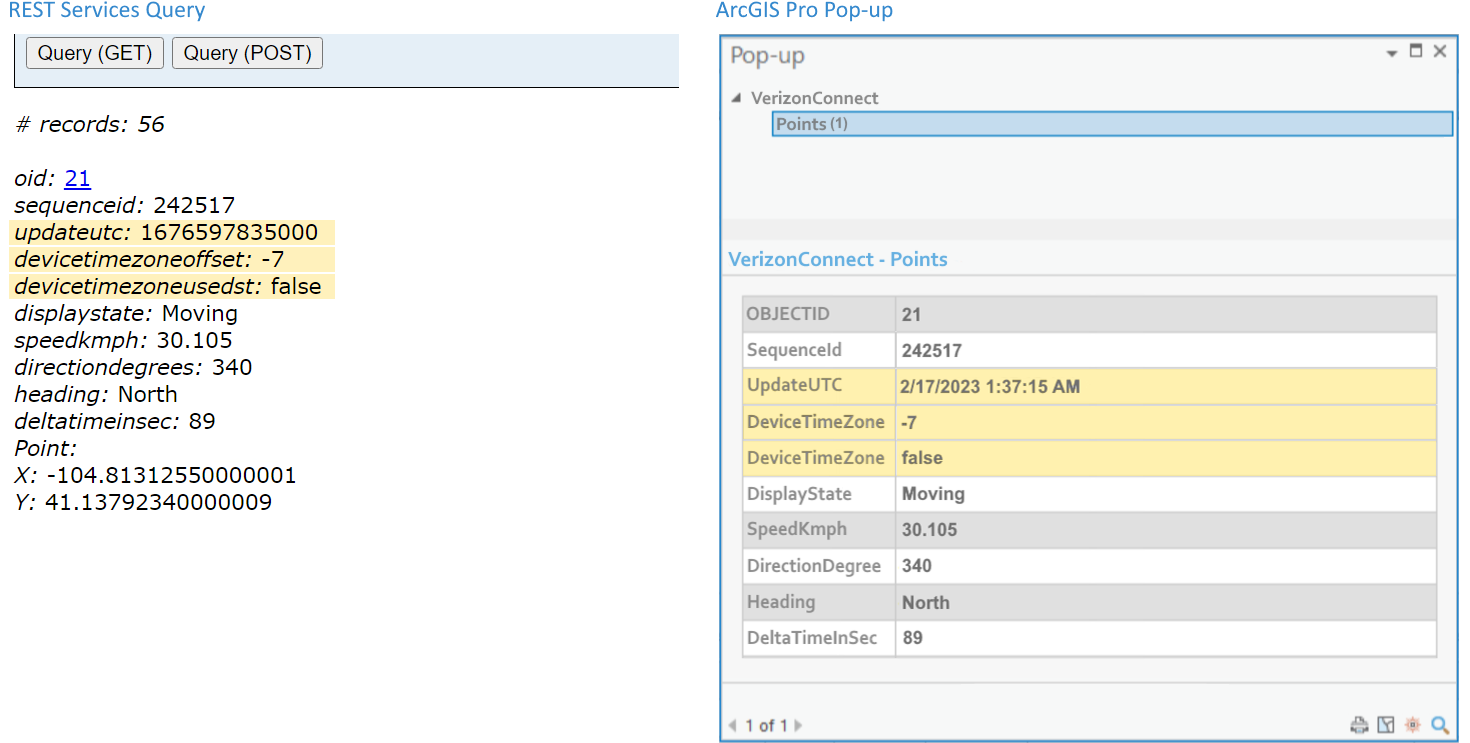
So, data coming into GeoEvent Server is MST but is somehow being changed when written to the database to switch it to UTC? Why is this happening and how do I fix it?


