Hi Development team,
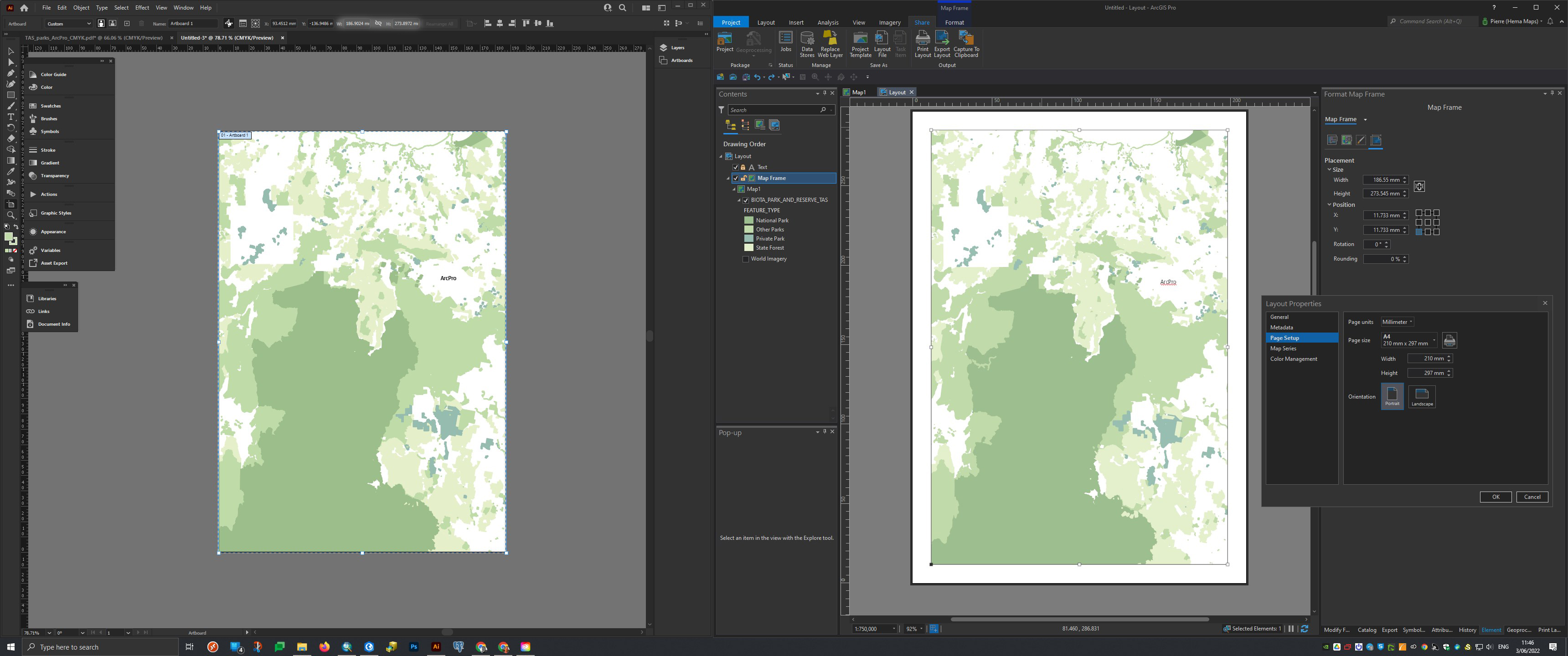
I noticed when setting up a layout in ArcPro (eg an A4 paper size) and reduce the map frame slightly by 10mm sitting inside the paper it is not recognised when imported into Adobe Illustrator.
The artboard in Adobe Illustrator is showing only the map frame size but not the original paper size set up in ArcPro. The paper size setup in ArcPro should be the artwork size in Adobe Illustrator.
Please find a screenshot attached for a better understanding.
Unless I am doing something wrong when exporting into a *.aix file?
Thank you.


