I've created a new script tool for saving down MXDs to previous release versions as explained here.
I'm using ArcMap 10.7.1. I'd like this tool to also save down MXDs higher than my current release to my current version (i.e. save 10.8 MXDs to 10.7). I am under the impression that this is supported (https://desktop.arcgis.com/en/arcmap/10.7/map/working-with-arcmap/saving-a-map.htm).
According to the saveACopy method documentation, passing the default value for the version parameter will save MXDs at your current release version. And the version parameter explanation states: (The default value is None).
However, I cannot figure out how to pass the default value using my script tool. I've tried version = str(), version = None, version = "None", and version = "". All of these result in a ValueError: Invalid value for version: '' (choices are: ['10.1', '10.0', '8.3', '10.5', '10.4', '10.6', '9.0', '10.3', '9.2', '9.3']).
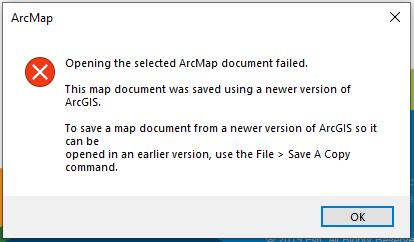
I've also tried just leaving off the optional version parameter. The script tool will run, but when I attempt to open the new MXD, it has not been saved down and tells me that the MXD needs to be saved down using Save A Copy.
Here's my current script:
import arcpy, sys, os, string
mxdList = string.split(arcpy.GetParameterAsText(0), ";")
outloc = arcpy.GetParameterAsText(1)
version = arcpy.GetParameterAsText(2)
suffix = "_"+ version.replace(".", "")
for item in mxdList:
item = item.strip('\'')
mxd = arcpy.mapping.MapDocument(item)
base = os.path.basename(item)
baseName = os.path.splitext(base)[0]
if version:
base = os.path.splitext(base)[0] + suffix + os.path.splitext(base)[1]
mxd.saveACopy(outloc + os.sep + base, version)
arcpy.AddMessage(os.path.basename(item) + " has been converted")
else:
mxd.saveACopy(outloc + os.sep + baseName + "_107.mxd")
arcpy.AddMessage(os.path.basename(item) + " has been converted")


