Following the full rollout of the ArcGIS Online Hub Workspace, we are no longer able to send configured/organisation specific welcome emails to new team members as they are added to the group.
It would be great to have this functionality available once again as part of the new Hub Workspace interface. This would allow us to have a more efficient and streamlined workflow rather than adding the user and then sending an email to the newly added user (using Workspace this is currently two separate steps).
As we manage a large number of users and multiple groups, the additional steps add a significant amount of time to our workflow and an introduce a risk that we forget/send the welcome message to the wrong users; as we are required to manually remember which users have been added.
---
Previously, through the ArcGIS Hub interface, the below workflow could be followed:
1. Go to the AGOL menu > Hub > select your initiative > (from dropdown in top left) select Teams > select the relevant team > Add Member
Click From: My Community (sign in if required)

Search for member and select user to add to the Team (select Add)
2. On selecting Add, a “Custom Notification” email window opens where you could configure a bespoke email.
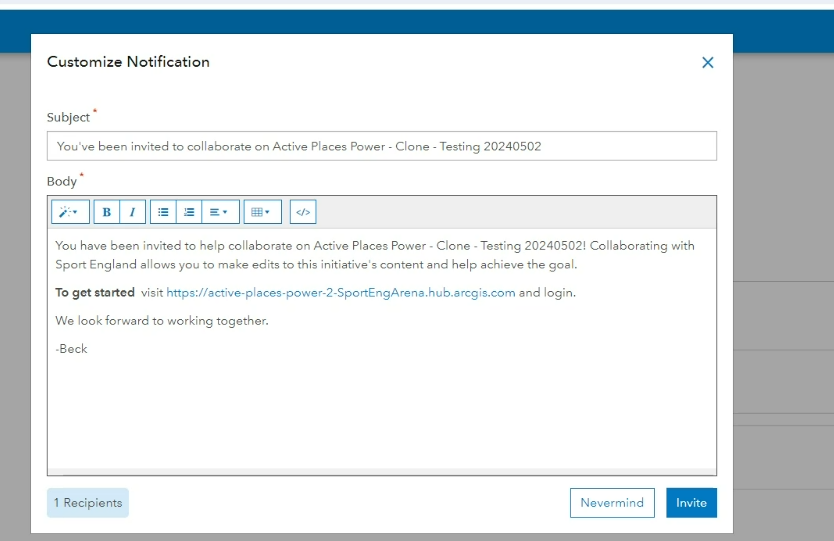
Select invite to add the user to the team and send a welcome email, notifying them that they have been added.

