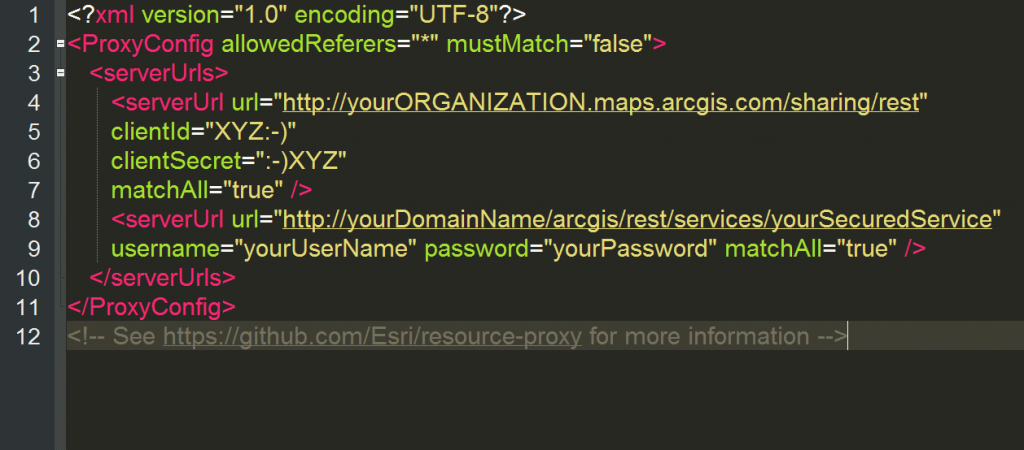
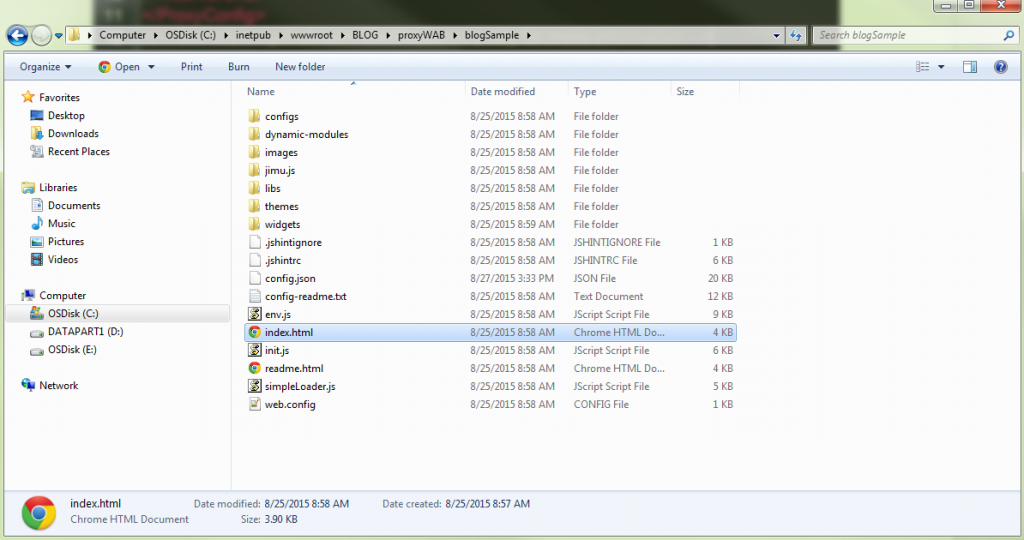
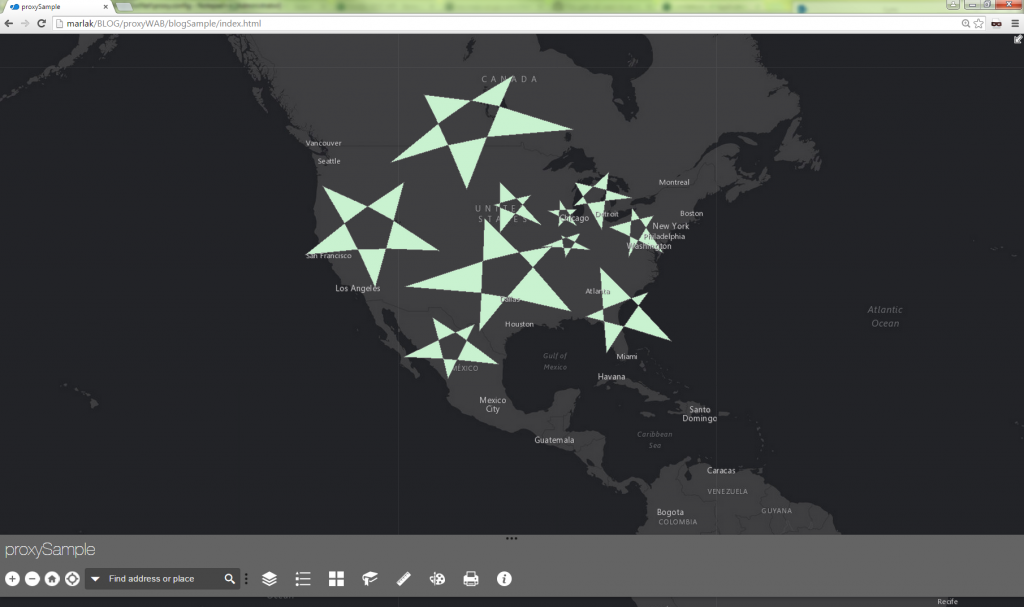
Let op: Deze blog gaat ervan uit dat je al een proxy hebt gedownload, gehost en correct geconfigureerd. Weet je niet zeker of je dit hebt gedaan? Geen zorgen; volg gewoon de instructies HERE<\/STRONG> <\/A>.<\/EM><\/P>Even ter herinnering, hier zijn enkele redenen om een proxy in te stellen met een Web AppBuilder-applicatie.Toegang tot beveiligde services met token-gebaseerde authenticatie<\/LI>Over domeinen heen gaan voor je bronnen<\/LI>Verzoek overschrijdt 2.048 tekens<\/LI>O-Auth 2.0 app-logins gebruikt<\/LI>Maakt logging mogelijk<\/LI>Zowel resource- als referer-gebaseerde snelheidsbeperking<\/LI><\/UL><\/BLOCKQUOTE>Om ervoor te zorgen dat we allemaal op dezelfde lijn zitten, laten we het onduidelijke water helder maken. Er is een prachtige applicatie gemaakt binnen de Developer Edition van Web AppBuilder. Controleer even of de applicatie is gedownload en gedeployed op een webserver.Twee dingen zijn beveiligd:Een ArcGIS Online webmap gedeeld met de organisatie<\/LI>Een ArcGIS for Server kaartservice beveiligd met ArcGIS Server ingebouwd met ArcGIS tokens<\/LI><\/OL><\/BLOCKQUOTE>In dit voorbeeld hebben we twee uitdagingen wanneer we de applicatie uitvoeren: ten eerste het authenticeren van de beveiligde webmap en ten tweede het beveiligen van de ArcGIS for Server kaartservice.Wanneer we de ontwikkelaarstools openen en naar het tabblad Netwerk kijken, zien we dat de respons een 403-fout retourneert bij toegang tot de ArcGIS Online webmap. Dit komt omdat standaard een anonieme gebruiker geen toestemming heeft om deze bron te benaderen.<\/A> uitdaging voor het beveiligen van een webmap<\/P><\/DIV>Voor de tweede uitdaging zien we in het tabblad Netwerk dat de applicatie er niet in slaagt de service te laden, en een 499 token vereist fout retourneert. Dit geeft aan dat we om toegang te krijgen tot de inhoud een token moeten doorgeven.<\/A> uitdaging voor het beveiligen van een ArcGIS for Server kaartservice<\/P><\/DIV>Oké, nu zijn we klaar om erin te duiken!1. Open in Windows Verkenner het "config.json" bestand van de applicatie. <\/A>2. Onderaan het bestand is er een gezellig plekje om de proxyregel aan de applicatie toe te voegen. <\/A>De parameter useProxy<\/STRONG> (Boolean) staat standaard op true. Als deze op false staat, zullen alle verzoeken geen proxy gebruiken.De url<\STRONG> (String) parameter is optioneel en is de URL van de proxy-locatie. Wanneer een verzoek een proxy moet gebruiken voor een Cross Domain-verzoek, of wanneer een verzoek groter is dan 2048 tekens, wordt deze proxy gebruikt.De alwaysUseProxy<\STRONG> (Boolean) is ook optioneel en staat standaard op false. Als deze op true wordt gezet, zullen alle verzoeken voor communicatie naar een REST-eindpunt gebruikmaken van de proxy die is ingesteld in de url <\STRONG>parameter.De rules<\STRONG> (Object[]) parameter is ook optioneel en definieert, indien ingesteld, specifieke verzoeken die gebruik zullen maken van de proxy.3. Omdat we twee beveiligde bronnen hebben, kunnen we de verzoeken via de proxy leiden om te authenticeren. Hiervoor moeten we enkele proxyregels toevoegen aan het config.json-bestand.<\A> proxyregels<\P><\DIV>De eerste regel is voor de webmap gedeeld met de organisatie, en de tweede regel is voor de beveiligde ArcGIS for Server-service.De urlPrefix<\EM>-eigenschap vertelt de applicatie dat wanneer je dit voorvoegsel in het verzoek ziet, gebruik dan de proxy om toegang te krijgen tot de bron. De proxyUrl<\EM>-eigenschap vertelt waar de proxy zich bevindt.Webmaps kunnen worden gedeeld met de organisatie, of helemaal niet gedeeld worden. Door gebruik te maken van clientId en clientSecret kunnen we authenticeren voor de webmap of bronnen binnenin de webmap. Als je werkt met een ArcGIS Online gehoste feature service, moet je EIGENAAR zijn van die gehoste feature service om te authenticeren via app-login.<\EM>
uitdaging voor het beveiligen van een webmap<\/P><\/DIV>Voor de tweede uitdaging zien we in het tabblad Netwerk dat de applicatie er niet in slaagt de service te laden, en een 499 token vereist fout retourneert. Dit geeft aan dat we om toegang te krijgen tot de inhoud een token moeten doorgeven.
uitdaging voor het beveiligen van een ArcGIS for Server kaartservice<\/P><\/DIV>Oké, nu zijn we klaar om erin te duiken!1. Open in Windows Verkenner het "config.json" bestand van de applicatie.
proxyregels<\P><\DIV>De eerste regel is voor de webmap gedeeld met de organisatie, en de tweede regel is voor de beveiligde ArcGIS for Server-service.De urlPrefix<\EM>-eigenschap vertelt de applicatie dat wanneer je dit voorvoegsel in het verzoek ziet, gebruik dan de proxy om toegang te krijgen tot de bron. De proxyUrl<\EM>-eigenschap vertelt waar de proxy zich bevindt.Webmaps kunnen worden gedeeld met de organisatie, of helemaal niet gedeeld worden. Door gebruik te maken van clientId en clientSecret kunnen we authenticeren voor de webmap of bronnen binnenin de webmap. Als je werkt met een ArcGIS Online gehoste feature service, moet je
Bij het werken met inhoud die beveiligd is in ArcGIS Online (zoals een beveiligde webmap of beveiligde gehoste feature service), wordt sterk aanbevolen om client id en client secret te gebruiken voor authenticatie. Voor services gehost op ArcGIS for Server gebruiken we een gebruikersnaam en wachtwoord van ArcGIS for Server.<\EM>
Developer accountArcGIS Online account
I set up the DotNet proxy on the same machine as my app.
I set up the application's config.json with one rule:
"httpProxy": { "useProxy": true, "alwaysUseProxy": false, "url": "", "rules": [{ "urlPrefix": "https://SERVER1/borOutreach", "proxyUrl": "https://SERVER1/DotNet/proxy.ashx" }] }<SPAN class="line-numbers-rows"><SPAN></SPAN><SPAN></SPAN><SPAN></SPAN><SPAN></SPAN><SPAN></SPAN><SPAN></SPAN><SPAN></SPAN><SPAN></SPAN><SPAN></SPAN></SPAN>
I set the proxy.config with one serverUrl:
<SPAN class="token tag"><SPAN class="token tag"><SPAN class="punctuation token"><</SPAN>serverUrls</SPAN><SPAN class="punctuation token">></SPAN></SPAN> <SPAN class="token tag"><SPAN class="token tag"><SPAN class="punctuation token"><</SPAN>serverUrl</SPAN> <SPAN class="attr-name token">url</SPAN><SPAN class="attr-value token"><SPAN class="punctuation token">=</SPAN><SPAN class="punctuation token">"</SPAN><A class="jive-link-external-small" href="https://community.esri.com/external-link.jspa?url=https%3A%2F%2FSERVER1%2FborOutreach" target="_blank">https://SERVER1/borOutreach</A><SPAN class="punctuation token">"</SPAN></SPAN> <SPAN class="attr-name token">matchAll</SPAN><SPAN class="attr-value token"><SPAN class="punctuation token">=</SPAN><SPAN class="punctuation token">"</SPAN>true<SPAN class="punctuation token">"</SPAN></SPAN><SPAN class="punctuation token">/></SPAN></SPAN> <SPAN class="token tag"><SPAN class="token tag"><SPAN class="punctuation token"></</SPAN>serverUrls</SPAN><SPAN class="punctuation token">></SPAN></SPAN><SPAN class="line-numbers-rows"><SPAN></SPAN><SPAN></SPAN><SPAN></SPAN></SPAN>
https://SERVER1/DotNet/proxy.ashx?ping returns
{ "Proxy Version": "1.1.2", "Configuration File": "OK", "Log File": "Not Exist/Readable"}
But https://SERVER1/DotNet/proxy.ashx?https://SERVER1/borOutreach?f=pjson fails to load anything, looking for simpleLoader.js , init.js, env.js etc. at https://SERVER1/DotNet/fileName.ext
If I swap out http://esri.com for https://SERVER1/borOutreach in config.json and proxy.config, it loads the (poorly formatted) Esri webpage.
I can't seem to figure out how to deploy my web app.
For me, it is still unclear what the following parameters are for my app:
yourDomainyourDomainNameyourSecuredService
I guess 'yourDomain' is "routeplannerpedestrianthesis". This is the domain I set in the Data Source URL (https://laptop-p9sbpmdc.routeplannerpedestrianthesis:3344/webbuilder ) in the settings of the web app. But if this is true, what is "yourDomainName", does this differ from "yourDomain"? In addition, I am also not sure what "yourSecuredService" could be. Below you can see my proxy.config file and my config.json file. Please let me know what I am doing wrong. For obvious reasons I deleted my ClientID, ClientSecret and username and password in the printscreen. In my webapp I make use of the Plan Route widget.
Bill, did you find an answer to this question? I believe I may be experiencing the same issue the proxy gets my into the web map fine, but i'm challenged for the arcgis login when running the analysis widget.
Thanks!
JP
Is there additional settings/config to get this working on an Enterprise 10.6x instance with Portal and Active Directory authentication?
I have the proxy working on a 10.3 instance with no Portal and simple ArcGIS Server User Store, but on this new server instance it continues to prompt with the login page.
I have so far: - installed the DotNet proxy files - created the Application in IIS - setup the serverUrl details in the proxy.config file using one of the ArcGIS user credentials (not an AD user) - the proxy URLs test successfully:
https://<my-server>/DotNet/proxy.ashx?https://my-server/portal/sharing/rest/content/items/<some itemID 1>
https://<my-server>/DotNet/proxy.ashx?https://my-server/portal/sharing/rest/content/items/<some itemID 2>
https://<my-server>/DotNet/proxy.ashx?https://my-server/arcgis/rest/services/<Folder Name>
So the proxy seems to be working, but it still fires the login page when hitting the web app?
Any ideas/suggestions would be greatly appreciated.
Hello,
After performing all the steps you mentioned, I am still getting popup for Login using Username Password. Screenshot - 09bb900de3a61f481b47527b1cf0b308 - Gyazo
My HttpProxy looks something like this.
and Proxy.config look like this.
<serverUrl url="http://geollect.maps.arcgis.com/sharing/rest" clientId="sdsdsdsddffCCuDcgfdgfg" clientSecret="dsdsdsdsdsdsds34e18gfgfgfgf" matchAll="true"/> <serverUrl url="http://utility.arcgisonline.com/arcgis/rest/services/Geometry/GeometryServer" username="username" password="password" matchAll="true" /> <serverUrl url="http://services.arcgis.com"clientId="sdsdsdsddffCCuDcgfdgfg"clientSecret="dsdsdsdsdsdsds34e18gfgfgfgf" matchAll="true"/> <serverUrl url="http://route.arcgis.com"clientId="sdsdsdsddffCCuDcgfdgfg"clientSecret="dsdsdsdsdsdsds34e18gfgfgfgf" matchAll="true" />Can you help me here?
Hi, Did you get anything that worked for you ?Please reply, It will be greatful
How did you resolve the pop up issue ?
If you get a popup message to sign-in, it's either the proxy didn't trigger for the request or you don't have permissions to access some portal items through the proxy. You need to narrow the problem by accessing the resources through the proxy directly to understand if it works or not -
https://#proxy-url/proxy.ashx#?#resource-url#
and always work with fiddler or the network tab in dev-tools, to examine the response.
When creating an app with client id+secret, you delegate access to Portal for that user who created that app. if Portal items are not owned by/shared with that user who created the dev app, you will still not be able to access these portal items with the client id + secret
Aangemelde leden kunnen berichten plaatsen, updates volgen en meer. Nieuw hier? Registreer een gratis account.
Find useful guides, FAQs, and documents to help you navigate and make the most of Esri Community.