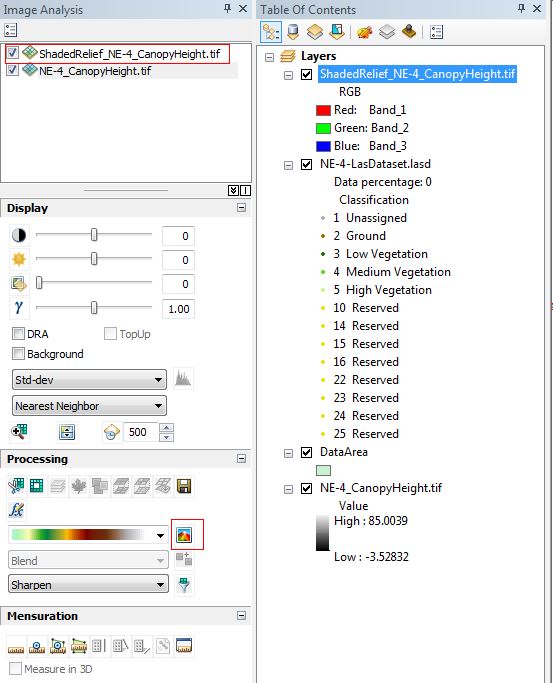
In Arc Map, there is an Image Analysis window that I can use to create a shaded relief image from a .tif. In the screen shot below, I used the button high lighted in the Processing area of the Image Analysis window in order to create a shaded relief of a canopy height image. I would like to do the same thing in ArcGIS Pro, but I can't find the Image Analysis window. Is there an image analysis window in Pro? There is a Hillshade GP tool to create a shaded relief, but it doesn't seem to produce as nice an image as I get from the Image Analysis window in ArcMap. Perhaps I need to use a series of GP tools to achieve the same result, but I don't know what they are.