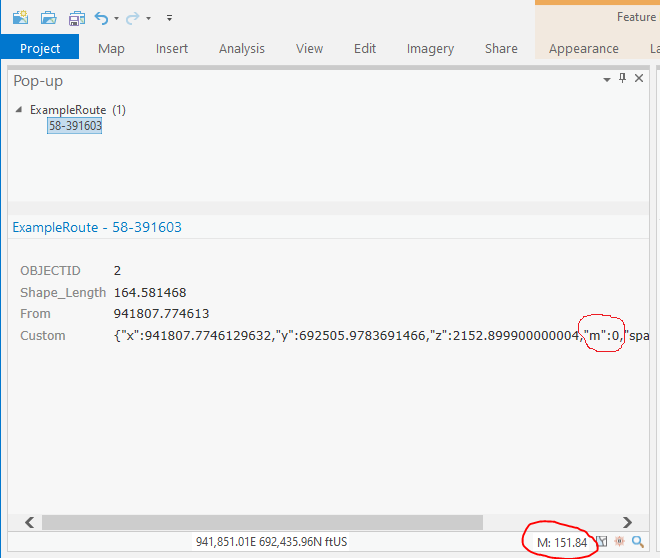
Hi All - I see that it is possible to access x,y,z, & m values for a custom pop-up using Arcade. The code below appears to be working in ArcGIS Pro 2.5.0 per my route layer:
var line = Geometry($feature)
var paths = line.paths;
var startingpoint = paths[0][0];
return text(startingpoint)<SPAN class="line-numbers-rows"><SPAN></SPAN><SPAN></SPAN><SPAN></SPAN><SPAN></SPAN></SPAN>
However, I'm not yet understanding how to return the m-value for any point along the route that was clicked, rather than the centroid or endpoints. The m-value I'm looking for appears in the pop-up panel at lower right in ArcGIS Pro 2.5.0 (see pic below).
Any assistance appreciated!