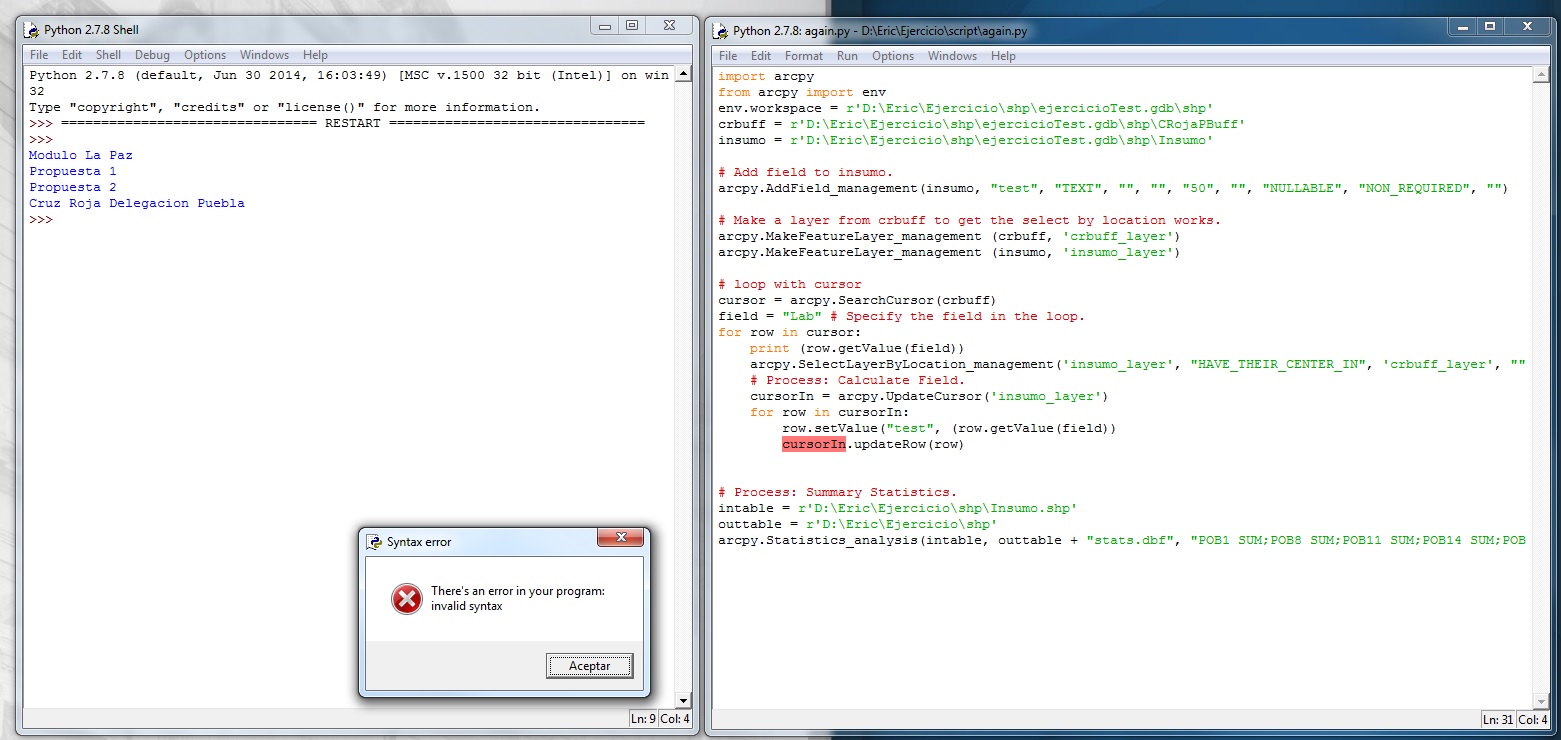
I 'm trying to run my script but I get this error message.
Here is the code.
I need help ...
Change it to: row.setValue("test", row.getValue(field))
Also, consider using arcpy.da.Search/InsertCursor instead of arcpy.Search/InsertCursor, the new (at 10.1) cursors are much faster and have easier and more "pythonic" syntax.
Luke, nice catch. Also, how do you know when to use arcpy.da.SearchCursor versus using arcpy.SearchCursor?
In most cases I would recommend using the da cursors, since they are much faster. I can only think of a few use cases for the "old" cursors like accessing the attribute table of the integer raster data set or when using ArcGIS 10.0. There is some more info here: Accessing data using cursors—Help | ArcGIS for Desktop
Thanks Luke. That corrects the syntax problem. Now I get a new problem.
Traceback (most recent call last):
File "D:\Eric\Ejercicio\script\again.py", line 23, in <module>
row.setValue("test", row.getValue(field))
File "C:\Program Files (x86)\ArcGIS\Desktop10.3\ArcPy\arcpy\arcobjects\arcobjects.py", line 1096, in getValue
return convertArcObjectToPythonObject(self._arc_object.GetValue(*gp_fixargs(args)))
RuntimeError: ERROR 999999: Error executing function.
I'm trying to write in "test" field from insumo layer the value field from the select by location features loop of crbuff layer.
I'm trying to write in test field from some layer based on iterate feature selction. I get succes using model builder but I'm fail when I try with my own code.
The process with MB.
The code and error.
Any suggestions?
I decided to put this in another question. Thanks.
Aangemelde leden kunnen berichten plaatsen, updates volgen en meer. Nieuw hier? Registreer een gratis account.
Find useful guides, FAQs, and documents to help you navigate and make the most of Esri Community.