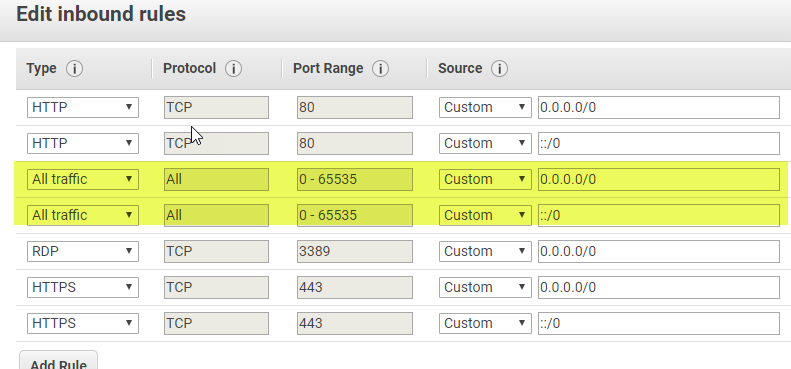
I have a single machine Portal deployment on an Amazon ec2 instance and I have successfully federated ArcGIS Server using the fqdn for the admin url (https://fqdn:6443/arcgis) however; despite this working (and validating) the server will not allow publishing or creation of feature or tile layers. What I found was that the amazon security group needed an inbound rule added to allow ALL traffic which allowed me to access 443 when not on server. Once I was able to get to 443, the admin url with the fqdn would return a cert error since this did not match the certs in place on server. The hosting server would still validate but still could not create hosted tile or feature layers. I used sharing/rest Update Server to change the admin url to the DNS name (https://thistookforevertofigureout.com:6443/arcgis) and this worked.
Questions are;
1. Why did Portal allow me to federate using the fqdn admin url and then successfully validate that server as a valid hosting server when it was not working?
2. Why is the Allow all traffic Rule needed to get to port 443? Is there a more specific rule I can add that will be more secure? https is already added...