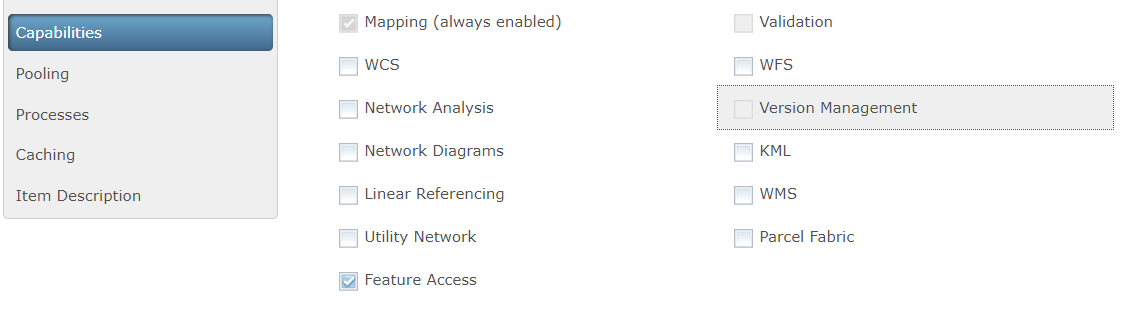
I am having trouble enabling the "Version Management" checkbox for a published Map Service on ArcGIS Server (see image below). I followed the instructions given in the ArcGIS blog "Branch Versioning: Setting the Stage" (a great posting by Peter Forister) and published a Map Service, but the "Version Management" checkbox is disabled. The instruction given in the blog is to publish a layer through Portal so I guess publishing a Map Service to ArcGIS Server may require a different approach.
I am in an educational organization and I am not sure the Portal for ArcGIS is offered to institutional members so I am trying to publish an editing enabled layer to ArcGIS Online. I would very much appreciate any help.
Image: ArcGIS Server Manager: "Version Management" checkbox is unenabled