Hi all,
I am trying to use a JQuery layout from a plugin called "JQuery Layout UI" for my web applications but It seems like I am experiencing an issue.
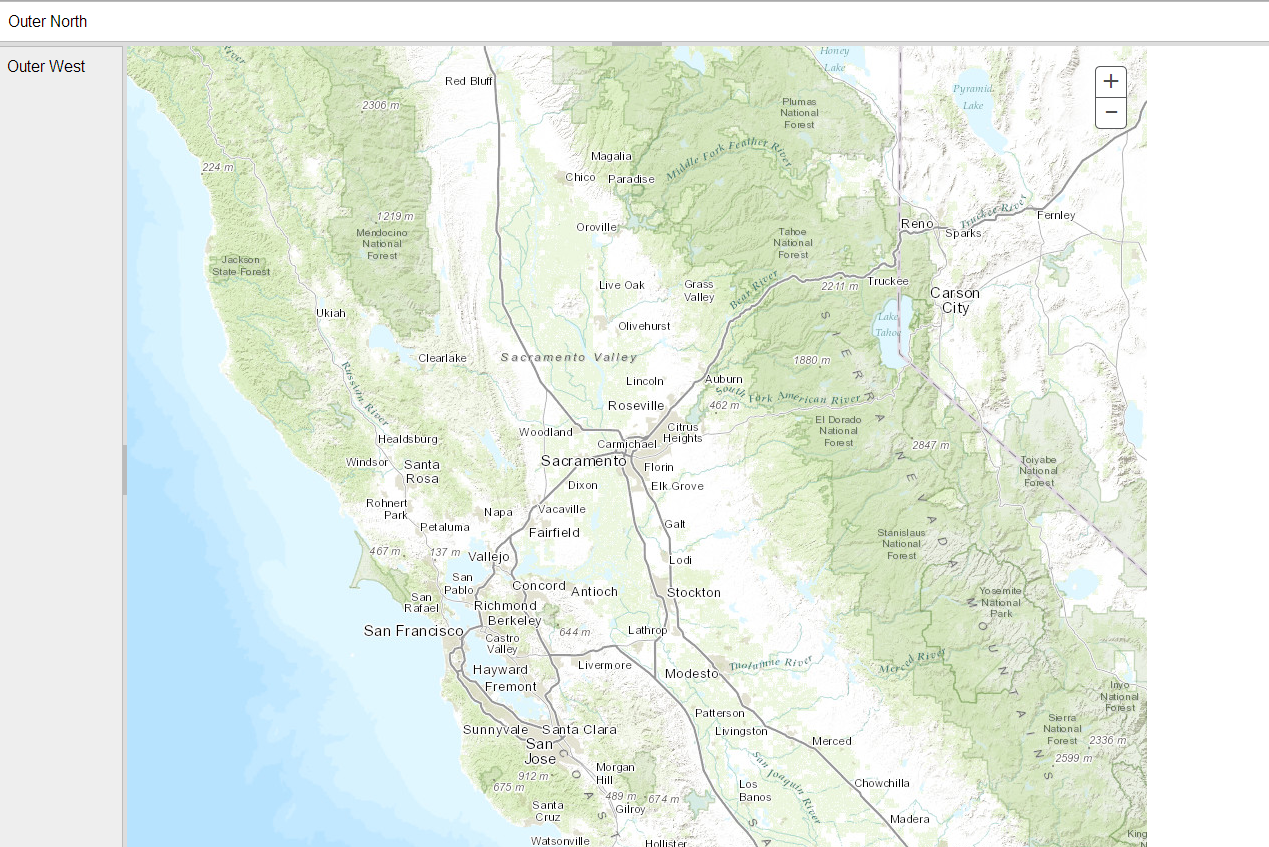
As shown on my attachment the map displays correctly, but when I close the east panel, the map does not resize properly and a large white margin appears instead of the panel. What am I missing?
Code:
<!DOCTYPE html>
<html>
<head>
    <title>Layout Container</title>
    <link type="text/css" rel="stylesheet" href="../source/stable/layout-default.css">
    <link rel="stylesheet" href="https://community.esri.com//js.arcgis.com/3.10/js/dojo/dijit/themes/nihilo/nihilo.css">
    <link rel="stylesheet" href="https://community.esri.com//js.arcgis.com/3.10/js/esri/css/esri.css">
    <style type="text/css">
        html, body {
            width: 100%;
            height: 100%;
            padding: 0;
            margin: 0;
            overflow: auto; /* when page gets too small */
        }


        body {
            background: #666;
        }


        /*
        * #verticalCenteringWrapper
        *
        * This is an example of a pure CSS solution for vertical centering
        * It works well when dealing with a fixed-height container
        * However if you just want a 'margin' at top and bottom,
        * then you could use an absolutely positioned div with top & bottom settings,
        * or use an extra wrapper-layout as described in more detail below.
        */
        #verticalCenteringWrapper {
            background: #777; /* for easier visualization */
            overflow: visible !important; /* override Layout CSS added due to #container.min-height */
            width: 100%;
            height: 0;
            top: 50%;
            position: absolute;
        }


        #container {
            background: #999;
            height: 500px;
            margin: -250px auto 0; /* top-margin = height/2 */
            width: 100%;
            max-width: 1100px;
            min-width: 700px;
            _width: 700px; /* min-width for IE6 */
            position: relative;
        }
        .pane ui-layout-center {
            width: 100%;
            height: 100%;
            position: absolute;
        }

         .pane {
            display: none; /* will appear when layout inits */
        }
    </style>
    <script type="text/javascript" src="js/jquery.js"></script>
    <script type="text/javascript" src="js/jquery-ui.js"></script>
    <script type="text/javascript" src="../source/stable/jquery.layout.js"></script>
    <script src="http://js.arcgis.com/3.10/"></script>
    <script type="text/javascript">
        require(["esri/map", "dojo/ready", "dijit/layout/ContentPane"], function (Map, ready) {


            //$(document).ready(function () {
            ready(function () {
                $('#container').layout("resizeContent");


                // create the map
                var map = new Map("map", {
                    logo: true,
                    sliderPosition: "top-right",
                    basemap: "topo",
                    center: [-121.469, 38.556],
                    zoom: 8,
                    autoResize: true
                });
                console.log("added basemap");
            });
        });


    </script>
</head>
<body>
    <div id="verticalCenteringWrapper">
        <div id="container">
            <div class="pane ui-layout-center">
                <div id="map" class="nihilo" data-dojo-type="dijit/layout/ContentPane" data-dojo-props="region:'center', design:'sidebar'" style="width:100%; height:100%"></div>
            </div>
            <div class="pane ui-layout-north">North</div>
            <div class="pane ui-layout-south">South</div>
            <div class="pane ui-layout-east">East</div>
            <div class="pane ui-layout-west">West</div>
        </div>
    </div>
</body>
</html>
Attachment:
Alex