Hi!
I am currently using Survey123 Connect version 3.25. I have a repeat section that has a starting footage value and an ending footage value. I would like to take the value from the ending footage and use that as the starting footage value for the next record in the repeat. For example if the user enters 0 for the starting footage and 25 for the ending footage, then the next record they add will automatically have a starting footage of 25. I can get this working in Survey123 Connect Preview with a JavaScript or by using the max function as referenced by this post: https://community.esri.com/t5/arcgis-survey123-questions/populate-a-field-within-a-repeat-from-a-previous/m-p/878505#M29897 However, neither of these options seem to want to work when accessing the survey via a web browser which is where the survey will mainly be used. Is there a way to possibly get this to work? If not, it's not a deal breaker for my survey, it is just a nice to have, as the user doesn't have to enter that value when they move on to the next record in the repeat. See below images for expected behavior as it appears in Survey123 Connect preview.
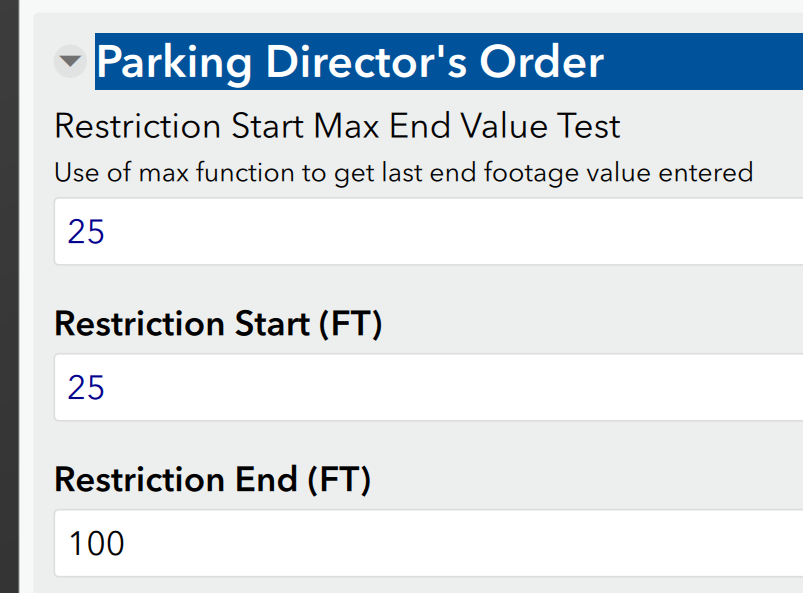
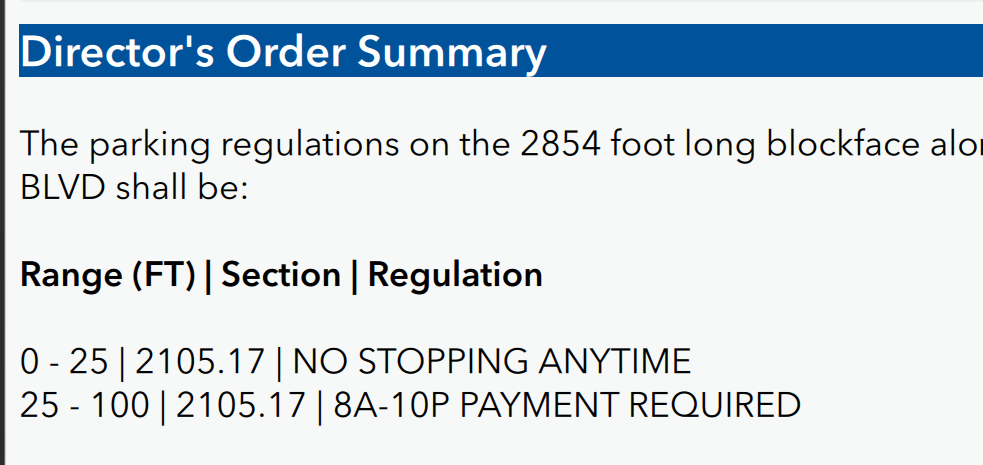
I'm also attaching a copy of my survey excel sheet along with the JavaScript files so you can create a copy of this same survey yourself to test. Any help is greatly appreciated!
Bec


