Hi everyone, I just updated the ArcGIS Pro app on my desktop to 3.7 and I am now getting an error whenever I open the app.
When I did the update, it told me there was insufficient space and something along the lines of "retry or select rollback if enabled". I clicked retry, and got the same error, so then I clicked ignore. After this, the update completed successfully. However, I shortly received the follow error:
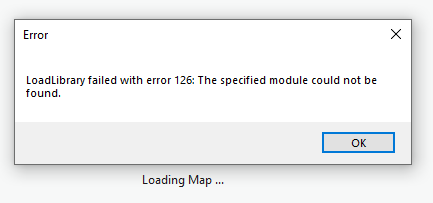
I am now getting this error every time I try to start up ArcGIS Pro. I've deleted random files to clear up space, uninstalled and reinstalled ArcGIS Pro, and also tried the method to fix corrupted files at this website: https://support.microsoft.com/en-us/topic/use-the-system-file-checker-tool-to-repair-missing-or-corrupted-system-files-79aa86cb-ca52-166a-92a3-966e85d4094e
Has anyone else gotten this error or is anyone else having issues with this new update? I cannot access ArcGIS Pro at all on this device. I greatly appreciate any insight. I assume I could reinstall ArcGIS Pro at the previous version, but I'm not sure where to go to do that.


