Like the title says, I edit maps in illustrator on a daily basis. The layers are always in the same order when i open the AIX in Illustrator. Monday I got a new laptop and now the halos for higher markers are stored in another layer, additionally a specific highway marker layer contains a clipping mask that covers the world imagery layer.
On my juniors laptop, I opened the exact same AIX file and the layers are structured properly.
Juniors laptop:
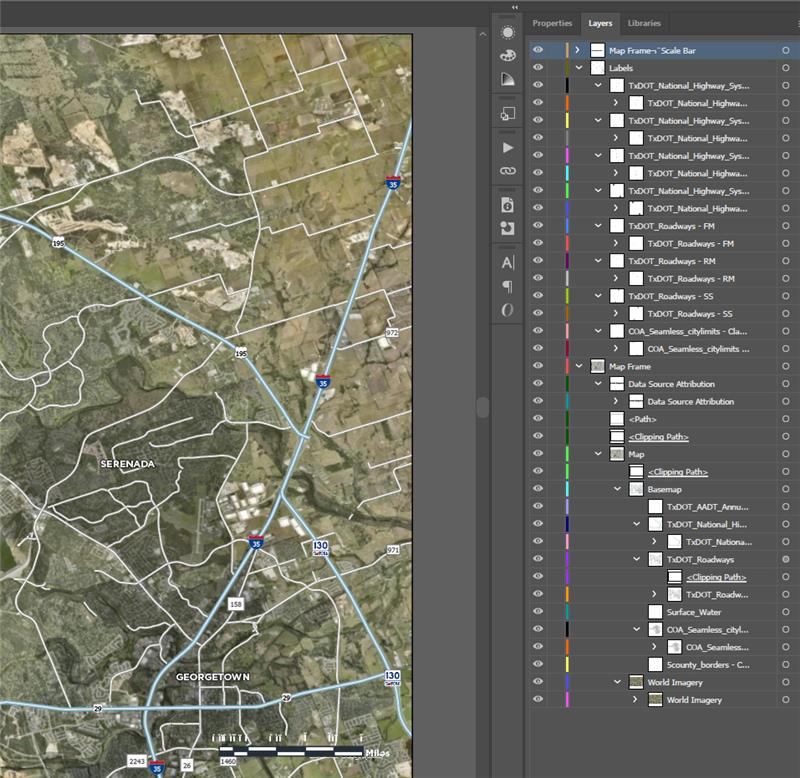
My new laptop: the aforementioned clipping path is in the highlighted layer.
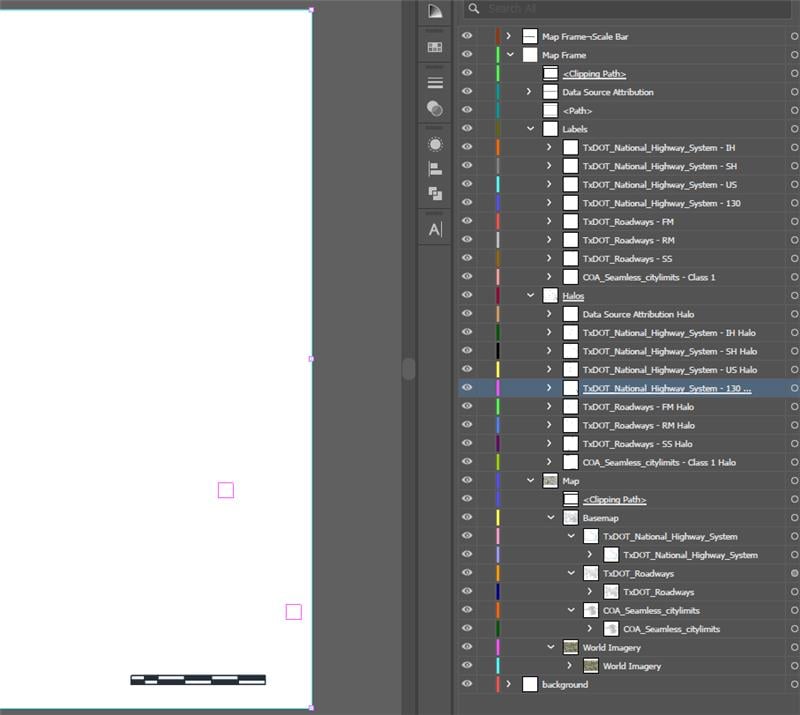
My export setting are the same as they use to be.
New Laptop-
ArcPro v3.4.0, Illustrator 29.4 (I tried 28.0, same problem)
Juniors laptop-
Arcpro v3.3.1, Illustrator 27.0 (pro version shouldn't matter as we opened the aix that i exported)
I think the issue is either the way illustrator is reading the AIX, or with the integrated graphics on my new machine.
Old laptop: Dell G15 5521 Special Edition
New Laptop: Dell Precision 3591 (w/ultra i9)
I tried to be thorough but let me know if there is more info needed, thanks


