Hi,
I'm currently upgrading an enterprise 10.5 deployment to 10.6.1. I've successfully upgraded the portal to 10.6.1. I'm currently trying to complete the ArcGIS server upgrade. I've managed to install the 10.6.1 software and authorize the licence file however I can't access the server manager to complete the upgrade.
When I try to access the server manager I’m first of all taken to http://localhost:6080/arcgis/manager before being redirected to https://localhost:6443/arcgis/manager (as expected we have https only on ?) then to the portal admin directory with a 400 uri error.
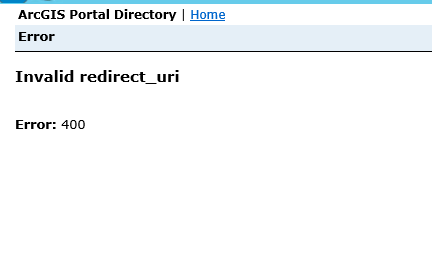
I found the following technical article https://support.esri.com/en/technical-article/000015445. Scenario 1 seems to address my problem. However I'm not sure what I need to do to include the ArcGIS Server on the portal white list.
From the solution / work around in the article it looks like I only need to copy the Get App ?Info into the Update Info Section?
When I look at the Get App Info there is no reference to the ArcGIS Server so do I need to add this to the JSON ?
If so do I put https://localhost:6443 ? of do I need servername.internaldomain.com only or do I need to add the full path to the server manager (e.g. https://localhost:6443/arcgis/maanger https://severname.internaldomain.com:6443/arcgis/manager )
Do I need to turn off https only so that I can access server manager on 6080 ?
Any help would be appreciated.
Thanks,
Clinton

