When operating with map in ArcGIS pro, there are plenty of Feature Classes grouped in Group Layers.
When I see some problem for example in Symbology there's no way to quickly find the Feature Layer, where the problematic feature belongs.
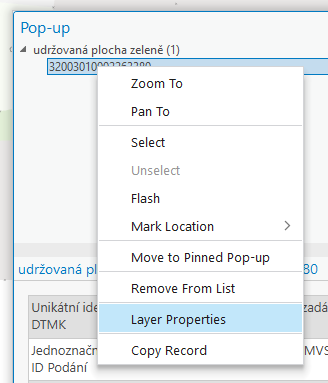
By opening Pop-up window, using Explore tool, I'am able only open Properities of the Feature layer, but unfortunately, often this is not enough.
Please, add some other row to "right-click opportunities" over feature in Pop-up window to select the Feature layer in Contents window - not only to open its Properities.
Thank you 🙂