Hi Community,
ArcGIS Pro returns the following error when trying to delete this feature class from the Enterprise Geodatabase. We have confirmed that there is no other active connections or locks.
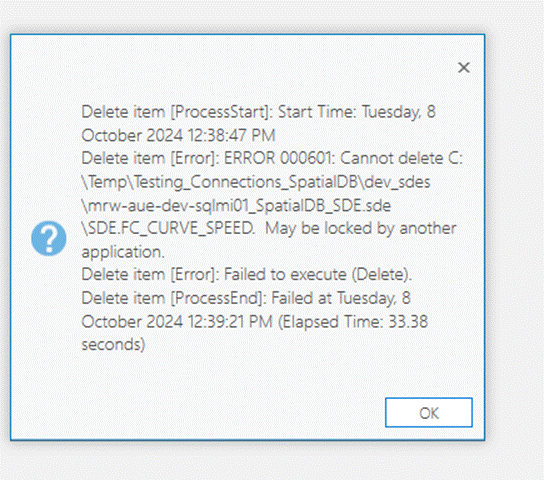
It only happens with this single feature class in the EGDB. We can delete all the other feature classes we want to delete.
This feature class was once archiving enabled, but for some reason in history (we don't know), the archiving columns [GDB_FROM_DATE, GDB_TO_DATE, GDB_ARCHIVE_OID] do not exist in this feature class anymore. If we try to disable archiving from ArcGIS Pro, an error would occur saying "Attribute column not found [42522:[Microsoft][ODBC Driver 17 for SQL Server][SQL Server] Invalid column name 'GDB_TO_DATE'.]"
Any suggestions what we can do to get this feature class deleted from the EGDB?
Update:
Reading this Unable to delete a feature class that had archivin... - Esri Community, I feel like we are in a very similar this situation that the feature class has been corrupted as ArcGIS Pro still think it is archiving enabled while the archiving columns do not exist anymore. We cannot either disable the archiving properly or delete this feature class.
Any help would be appreciated.
Many thanks,
AB

