Hello all,
I am currently running ArcGIS Pro 3.3.0 on Windows 10. I am attempting to install a third party package to the Package Manager (https://davenquinn.com/projects/attitude/). I am inside of a cloned environment for my Active Environment. This third party package is not listed under the ""Add Packages" option and I am unsure of how to add this package to that list.
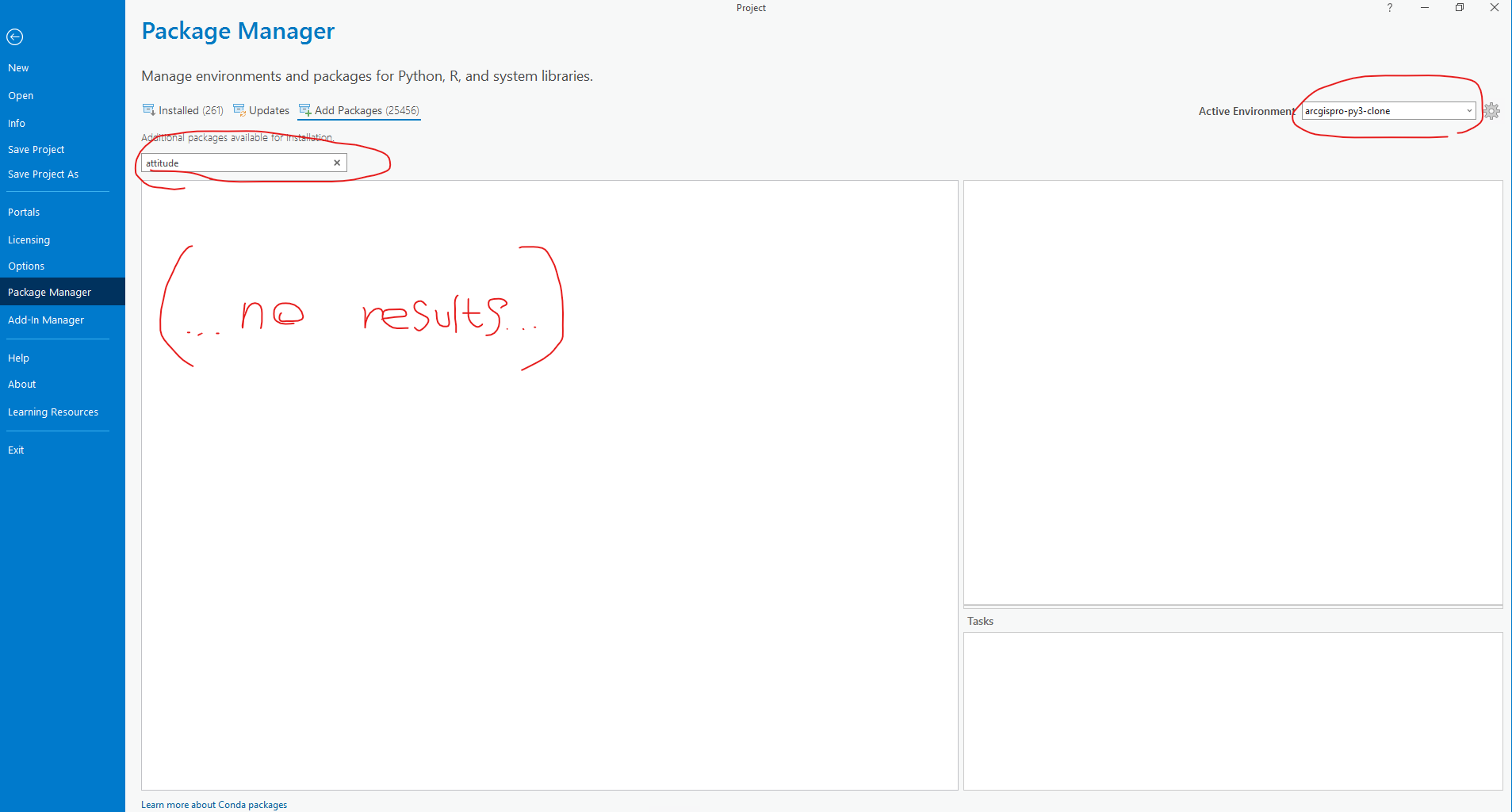
When I open the Python Command Prompt I enter the command "pip install Attitude" (as per the third party installation directions in the link provided above). When the command is run, I get a "PackagesNotFoundError" for "attitude":
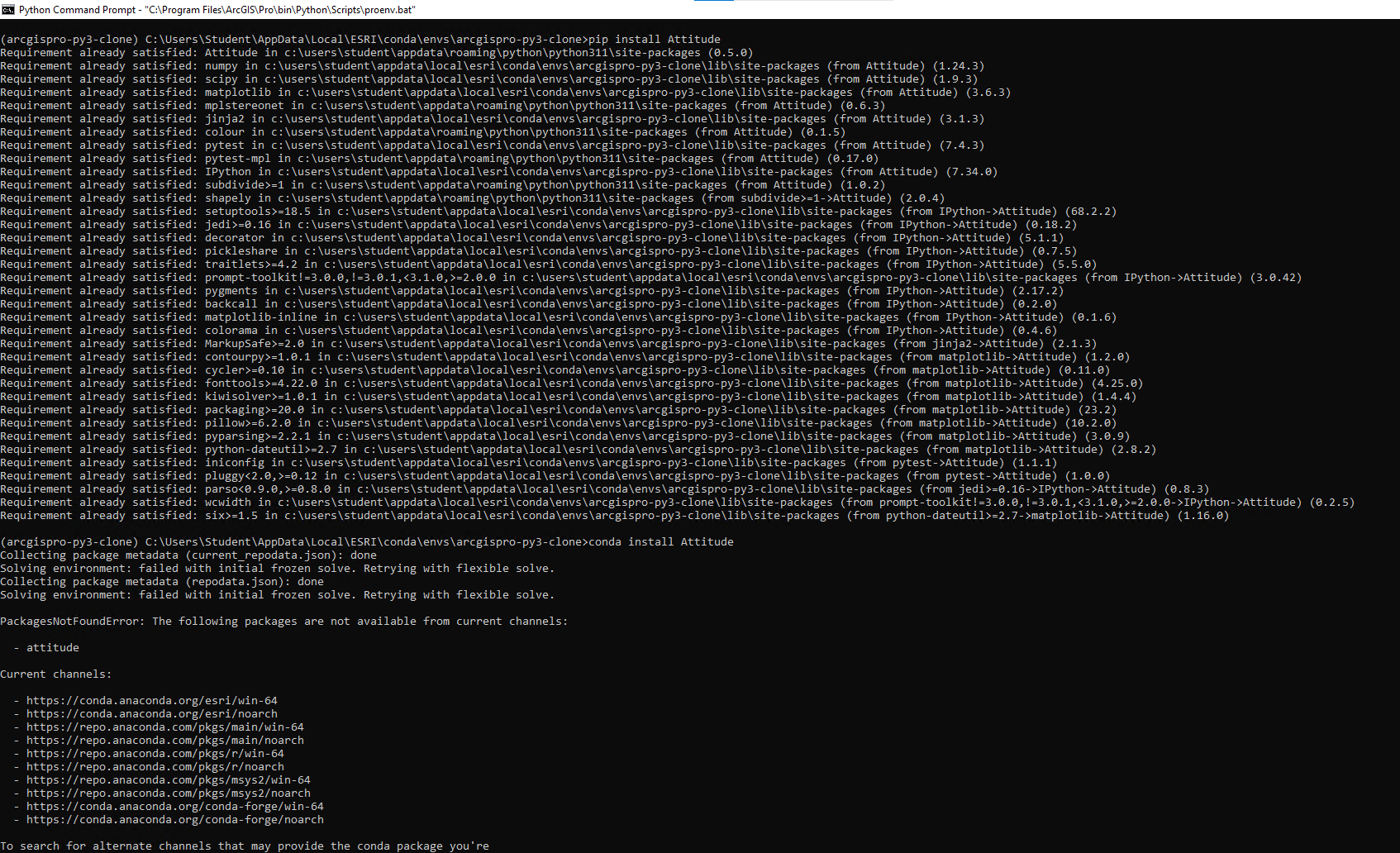
I hope this is enough information and that my goal is clear. If not I am happy to edit and provide what is needed! New poster here - good to join the community!


