In Map Viewer Classic, the attribute field order for a layer's pop-up is maintained in the editing window as well, which seems to be a natural and logical behavior, because if you wanted the fields to be viewed in a particular order, it stands to reason that you would want to edit them in the same order (it provides consistency and predictability when the attributes are ordered the same in both views).
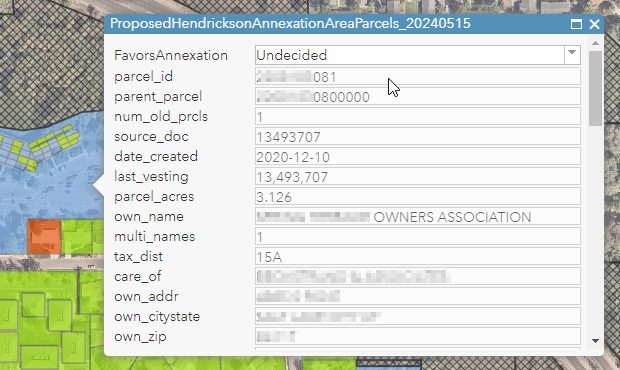
In the new Map Viewer, however, the attribute field order in the Editor window follows the order of the layer's original attribute table, not the order configured in the attributes pop-up. There appears to be no option for re-ordering the attribute fields for the Editor window, including moving columns in the layer's attribute table.
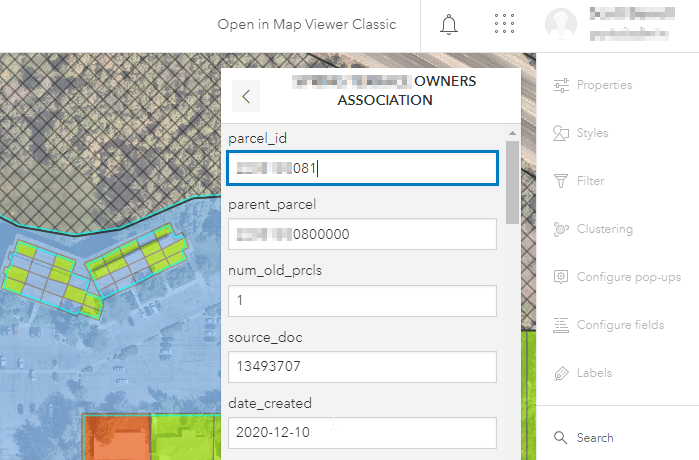
As mentioned above, the logical behavior for ordering attribute fields is that they are the same in the pop-up as they are in the editing window. In other words, I can't think of a scenario where you would want those two views to be different, but even if you did, there is no way to configure the Editor window field order. That said, either option/scenario (Editor window mimics the field order configured in the attributes pop-up OR Editor window field order can be custom configured such that it differs from the layer's original attribute table and from the attributes pop-up) would be better than the current limitation.


