I'm giving Pro a try for entering legal descriptions (subdivision boundaries, road centerlines, etc.), and I've figured out a few of the nuances with the Traverse Tool, but there is a major problem that is potentially a deal breaker. In ArcMap, when you finish entering all the calls from the legal description, the resulting line features have their COGO attribute fields automatically populated with the direction-distance data (i.e. COGO Direction = N 89-24-6 E and COGO Distance = 130.42). In Pro, however, those same fields are left blank, and this includes Delta, Radius, Tangent, etc. for curve data.
I tried using the "Update COGO" tool from the Modify Features pane, but when I select a feature, a warning message pops up saying, "The current selection includes features or rows that are invalid for this operation. Click the selection tool to change the selection."
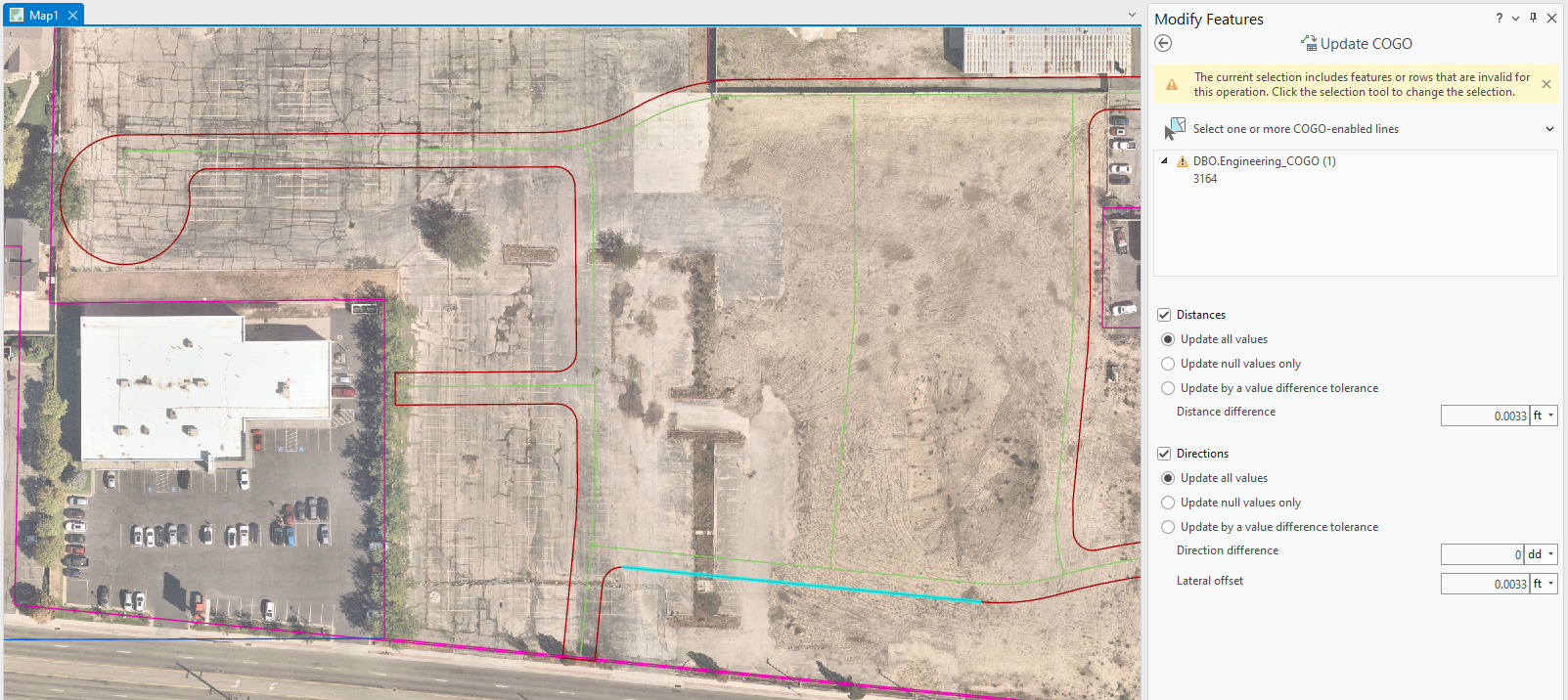
My online searches haven't yielded anything helpful yet, so I wanted to try posting here before creating an Esri Support Ticket. I am using Pro 3.1.1; however, the line feature class was created in ArcGIS Desktop, and its COGO attribute fields were added using Desktop tools (not sure if that has something to do with it, but I'm going to test that out and will update this post if it fixes the problem). Any other suggestions/ideas would be appreciated!





