I'm seeing an issue where I can create a new line in a popup multiple ways that displays properly in a web map, but when viewed in Field Maps on mobile devices (both Android and iOS with newest versions available), the carriage returns are ignored. I'll post my code below, but for a little background...
I've created a text element in my popup. The text is formatted with HTML to display data the way I want. However, I have a series of fields that may or may not contain data. So I created an Arcade expression to remove the empty fields, and create an ordered list out of those with data. I started by creating an array of the group of them, then filtered that into a new array. The resulting expression is then inserted into the HTML of the popup.
I'll reiterate, the popup displays correctly in a web map, but when viewed in Field Maps, the new lines are ignored.
Here is my HTML:
<div>
    <p>
        <strong>Location</strong>
        <br>
        {Location}
        <br>
        <br>
        <strong>Values At Risk</strong>
        <br>
        {ValuesAtRi}
        <br>
        <br>
        <strong>Trigger Conditions</strong>
        <br>
        {TriggerCon}
        <br>
        <br>
        <strong>Contact/Notifications</strong>
        <br>
        {ContactNot}
        <br>
        <br>
        <strong>Recommended Actions</strong>
        <br>
        {expression/expr0}
        <br>
        <strong>Recommended Resources</strong>
        <br>
        {RecommReso}
    </p>
</div>
Here is one option I tried for the Arcade expression:
var aRecomm = [ $feature.Recommen_1, $feature.Recommen_2, $feature.Recommen_3, $feature.Recommen_4,$feature.Recommen_5,$feature.Recommen_6,$feature.Recommen_7,$feature.Recommen_8,$feature.Recommen_9];

function FilterNonEmpty(value) {
    return !IsEmpty(value) && value != "" && value != " ";
}

var aFiltered = Filter(aRecomm, FilterNonEmpty);

var result = "";
for (var i in aFiltered) {
    result = result + (Number(i) + 1) + ". " + aFiltered[i] + '\n\n';
}

return result;
And here is the other:
var aRecomm = [ $feature.Recommen_1, $feature.Recommen_2, $feature.Recommen_3, $feature.Recommen_4,$feature.Recommen_5,$feature.Recommen_6,$feature.Recommen_7,$feature.Recommen_8,$feature.Recommen_9];

function FilterNonEmpty(value) {
    return !IsEmpty(value) && value != "" && value != " ";
}

var aFiltered = Filter(aRecomm, FilterNonEmpty);

var aResult = [];
for (var i in aFiltered) {
    aResult[i] = (Number(i) + 1) + ". " + aFiltered[i] + `\n`;
}

return Concatenate(aResult, TextFormatting.NewLine);
I've tried all combinations of \n and TextFormatting.NewLine.
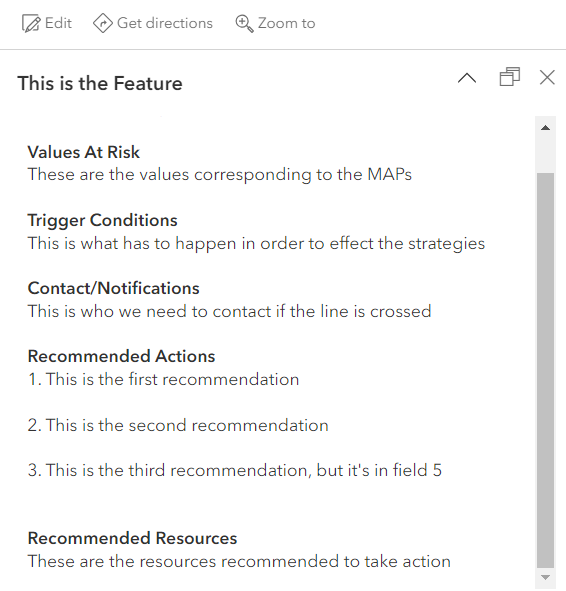
Here is the resulting popup in a web map:
And here it is in Field Maps (Andriod, but iOS gives same results):
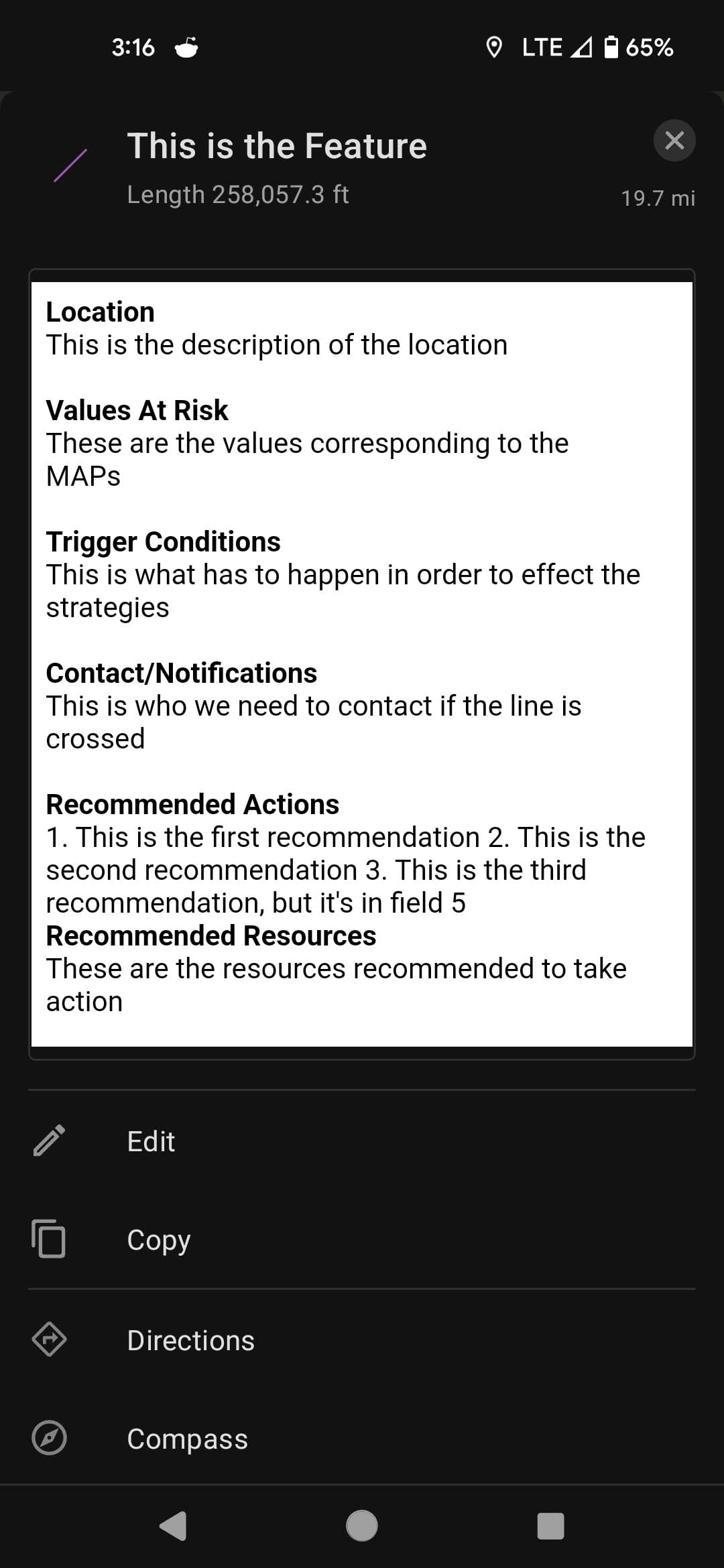
Obviously, the Recommended Actions are what are created by the expression.
The product is usable, it's just not clean. Does anyone know how I can split those actions onto new lines?




