Hi,
I was using route sample of ArcGIS JavaScript 4.x
https://developers.arcgis.com/javascript/latest/sample-code/sandbox/?sample=route
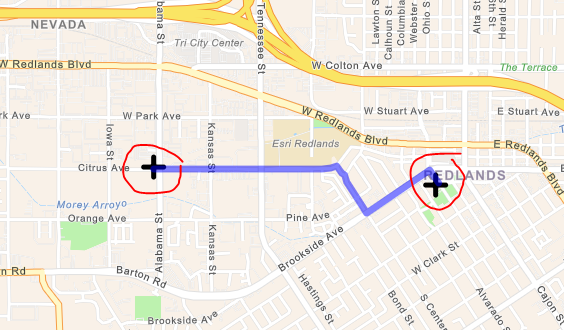
In this example, we can see the route layer with route stops but when we zoom out the route layer overlaps on the route stop.
Is there a way we can stop this overlap, or we can hide the route layer behind the route stop?
Thanks
Aditya Kumar
I managed to fix it by changing routeLayer.add(stop); to mapView.graphics.add(stop);
after that the route layer is not coming on top of route stop.
Aangemelde leden kunnen berichten plaatsen, updates volgen en meer. Nieuw hier? Registreer een gratis account.
Find useful guides, FAQs, and documents to help you navigate and make the most of Esri Community.