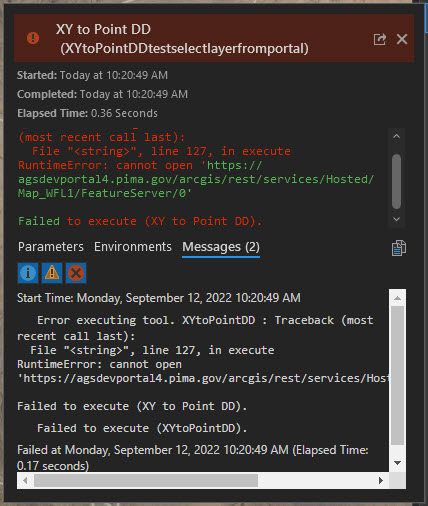
I am trying to create a web tool from a .pyt that will add a new feature to a feature class based on xy values. I have the working fine with local data in Arc Pro, but it does not work when it is shared as a web tool. I believe that I narrowed it down to the arcpy.da.InsertCursor not accepting the REST page of my hosted feature layer as a parameter. I want this tool to eventually end up in a geoprocessing widget in Web App Builder app.
Is there a way around the cursor not working?
Thanks,
param0 = parameters[0].valueAsText #Feature class to gain entry
param1 = parameters[1].valueAsText #x
param2 = parameters[2].valueAsText #y

#Message showing params values
arcpy.AddMessage('param0 = ' + param0 + '\n' + 'param1 = ' + param1 + '\n' + 'param2 = ' + param2)

#Define the coodrdinates from parameters
coord_string = f'{param2} {param1}'

#creating a point
point_geometry = arcpy.FromCoordString(coord_string, 'DD')

#Add a messege with details about point
spatref = point_geometry.spatialReference.factoryCode
coord = point_geometry[0]
arcpy.AddMessage(f'spatial reference = {spatref} \n coodinates = {coord}')

# Create an insert cursor for a table specifying the fields that will have values provided
fields = ['SHAPE@','SHAPE@']
cursor = arcpy.da.InsertCursor(param0, fields)

# Create new rows
cursor.insertRow([point_geometry, point_geometry])

# Delete cursor object
del cursor