**Using ArcGIS Pro 2.9.0:**
I am trying to calculate UTM coordinates in a shapefile to the 6th decimal place. When I use the calculate geomtery tool as follows:
point x-coordinate (or y-coord, both calculations are having the same issue)>Coordinate Format=Same as input>Coordniate System=UTM 14 N (same as data frame)
Some points correctly show up to the 6th decimal place, and others only to the 2nd while some are just whole numbers.
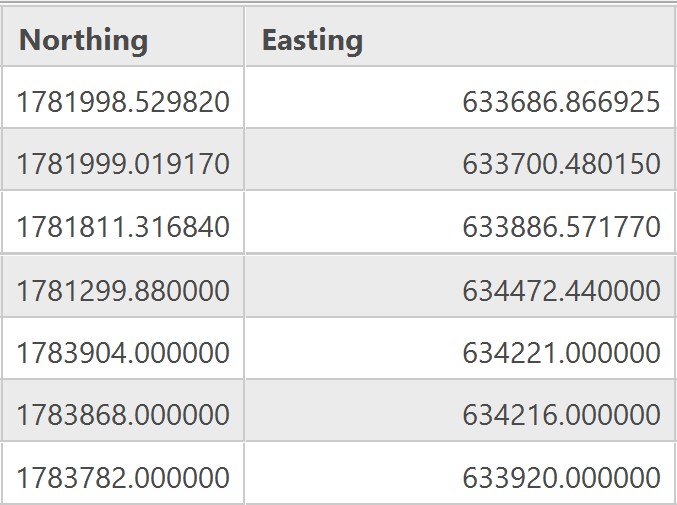
My field type is double with Precision and Scale at the default "0". I've tried changing this number and it doesn't seem to fix the issue. I've updated my "Numeric" setting to "Custom" and entered "0.000000" so now the numbers being rounded just show up with 6 zeroes instead of the proper value. I'm thinking Arc is still doing some rounding on the backend.
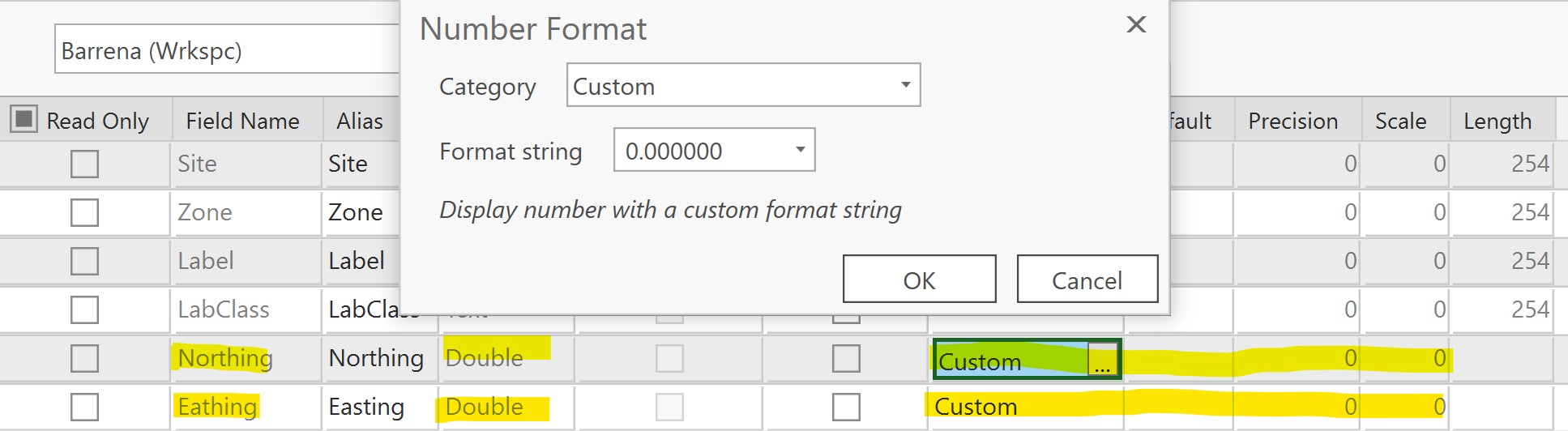
Has anyone encountered a similar problem/see something I'm doing wrong?
Thanks


