Hi Everyone,
I have a problem whereby a cylinder object that looks just fine in ArcGIS Pro ends up way larger diameter after uploaded to ArcGIS Online scene. I can't figure out what I am doing wrong. I am trying to get the cylinders to look like bollards. So they should be like a pipe sticking out of the ground in a parking lot. See the comparison between what ArcGIS Pro shows vs what the online scene looks like. The coordinate system is the same in both cases, everything is the same. The bollards I made by having a point feature class and using the 3D Model Mark. Display is in real world units with 1.5m height and 0.2 m for both x and y. I get no errors or warnings when analyzing the layer before sharing.
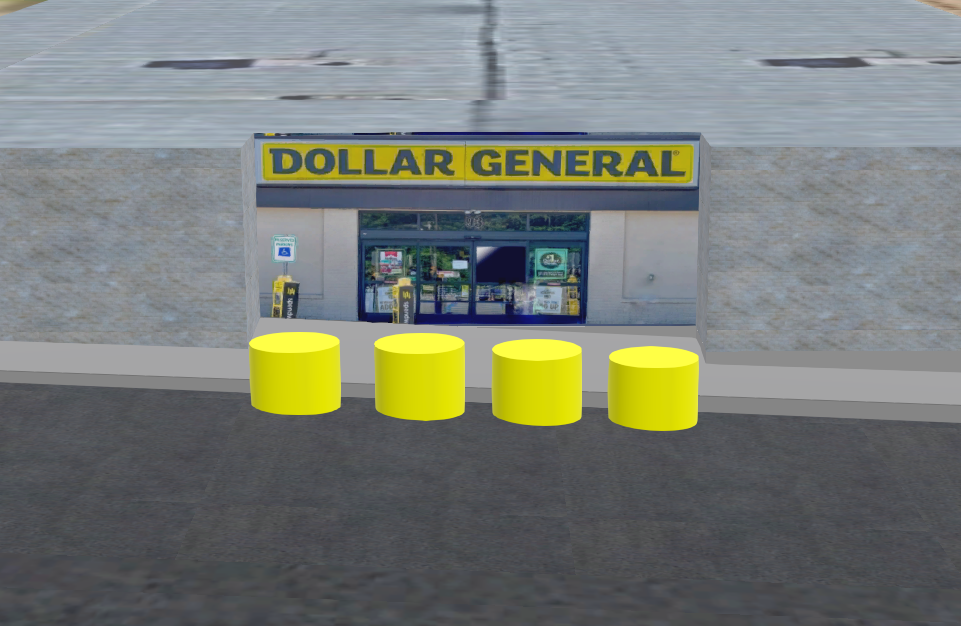
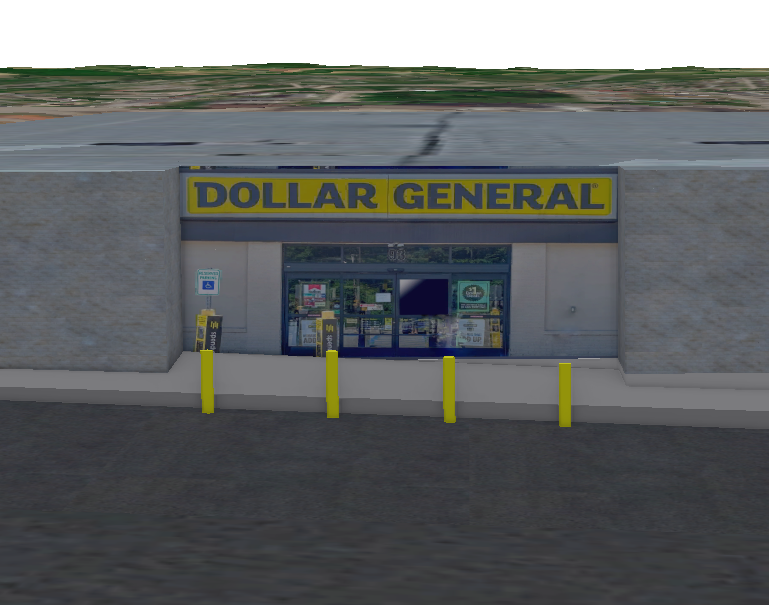
Any ideas how to make the cylinders look like actual bollards after sharing to ArcGIS online?
Cheers,
Justin



