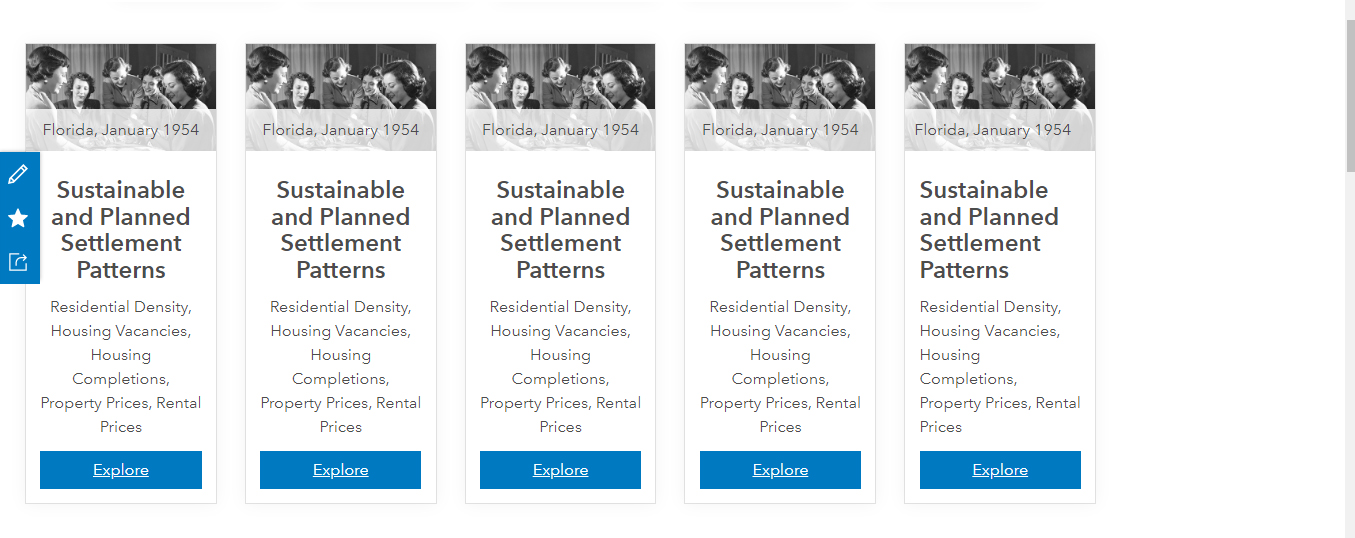
I am trying to add five cards to a row in Hub but am having through to center them across the page. I've used the out of the box set up that adds three by default. I have adjusted the html to display 5 in one line rather than 3 but am having trouble centering them. At the moment they are left aligned (see image below).
Could you help in getting them centered on the page?
This is the .html
******
<div class="col-xs-12 col-sm-6 col-md-2">
<div class="calcite-web">
<div class="card-base contrast-safe-text">
<div class="card-image-wrap">
<img alt="Bridge Club, 1954" class="card-image" src="https://hubcdn.arcgis.com/opendata-ui/assets/assets/images/bridge3-ab9c41a43f1bf4379a90134a0658f4c2.jpg" style="text-align: center;">
<div class="card-image-caption" style="text-align: center;">
Florida, January 1954
</div>
</div>
<div class="card-content">
<h4 style="text-align: center;"><b>Sustainable and Planned Settlement Patterns</b></h4>
<p style="text-align: center;">Residential Density, Housing Vacancies, Housing Completions, Property Prices, Rental Prices</p>
<div aria-label="actions" class="btn-group btn-group-justified" role="group">
<a class="btn btn-primary" href="#SettlementPatternsTestBox">Explore</a>
</div>
</div>
</div>
</div>
</div>
**********
Any help would be much appreciated. Thanks. Justin